

Prompt Paul- AI Insights at the click of a mouse

Overview
A Chrome extension for processing selected text using an LLM endpoint
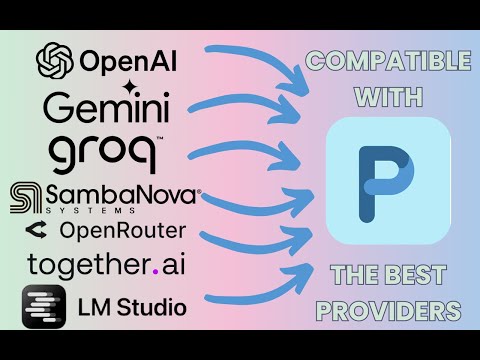
Context-aware AI in your browser. Select text, get quick answers, and skip the ceremony. Prompt Paul keeps AI close to the page you are already using. Select text, load page content, right-click supported media, or open the side panel and start talking about what is in front of you. Bring your own model endpoint. Use OpenAI-compatible cloud providers, routing services, or local setups. Configure the endpoint, key, and model that match how you work. FEATURES →Selected text actions Select something, then analyze, explain, proofread, summarize, or run your own instruction on it from the context menu or side panel. → Page-aware chat Load the current page into the side panel and ask follow-up questions. The page stays attached to the conversation, so questions like “What did this say about X?” just work. → Media-aware prompts If your configured provider and model support images, video, or audio, right-click supported media and ask about it directly. On YouTube, prompts can use transcript context when captions are available. The current video frame can also be captured in chat for visual reference. → Custom instructions Save workflows you repeat—emails, meeting notes, captions, research summaries, code explanations, product descriptions, and support replies—and run them in one click. → Tools and Agent Skills When plain chat is not enough, use configured tools and OpenClaw-compatible Agent Skills. → Optional web search Enable grounding when an answer needs current or verifiable information. Responses that use web search include a Sources section. WHAT’S NEW IN VERSION 6.2.1 Chat is now composer-led, with context attachments shown up front. Quick actions adapt to what you are working on, and Stop, Retry, Edit, and Continue controls appear directly in responses. Options and setup received a cleanup pass. API credentials are masked, web search grounding is optional, and media, voice input, custom instructions, tools, and Agent Skills remain available.
5 out of 53 ratings
Details
- Version6.2.1
- UpdatedAugust 31, 2026
- Size1.34MiB
- LanguagesEnglish
- Developer
- Non-traderThis developer has not identified itself as a trader. For consumers in the European Union, please note that consumer rights do not apply to contracts between you and this developer.
Privacy

Prompt Paul- AI Insights at the click of a mouse has disclosed the following information regarding the collection and usage of your data. More detailed information can be found in the developer's privacy policy.
Prompt Paul- AI Insights at the click of a mouse handles the following:
This developer declares that your data is
- Not being sold to third parties, outside of the approved use cases
- Not being used or transferred for purposes that are unrelated to the item's core functionality
- Not being used or transferred to determine creditworthiness or for lending purposes
Support
For help with questions, suggestions, or problems, please open this page on your desktop browser