

SelectSight — Select, Copy & Translate Image Text
1 rating
)
Overview
Fast, free local OCR to copy text from images and screenshots. Translate, organize translations and export editable content.
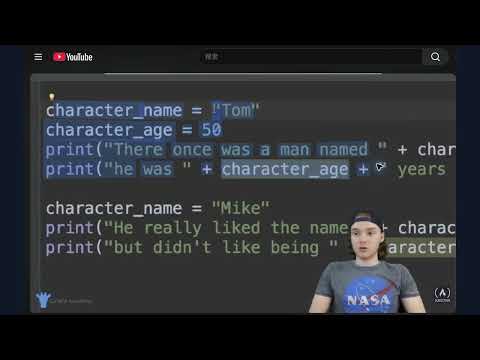
SelectSight — Select Text in Images, Capture Screenshots, and Export Editable Content SelectSight makes words inside images and paused videos feel like ordinary text in Chrome. Hover over the content, drag across the words you want, and copy them with your usual keyboard shortcut. When copying is only the first step, SelectSight can turn recognized content into editable documents and spreadsheets, or files you can use in notes, code, and formulas. Available export choices depend on the content recognized. Why install SelectSight? Most text on a webpage is easy to select. Text embedded in an image, video frame, chart, slide, or canvas is not. SelectSight brings a familiar selection experience to those places, so you can capture the part you need without repeatedly saving images, opening another tool, and retyping the result. SelectSight combines three steps in one Chrome workflow: select words directly where they appear, capture a specific area when direct selection is difficult, and export the result in a format you can actually edit. That combination is especially useful when you need more than a plain text copy—for example, a table you can work with in a spreadsheet, a document you can revise, or a formula you can reuse. What you can do • Select text in supported images and paused video frames by dragging across it, then copy it with a familiar keyboard shortcut. • Use Start screenshot to capture a visible region of the page, including charts, slides, canvas content, and other areas that are hard to select directly. • When you need the structure of a document preserved, choose optional cloud recognition for headings, lists, tables, code, or formulas. Review the result and export it in a suitable editable format. Your images are not stored by SelectSight. Everyday text selection and screenshot recognition run on your device without an account or upload. If you choose cloud recognition, SelectSight shows the credit cost and asks for your confirmation before uploading the selected image. Our recognition service processes the image in memory for that request and does not save the original image to its database. The image is discarded from our service after processing. The third-party recognition provider handles submitted content under its own privacy practices. Whether you are collecting a quote from an image, moving figures from a chart into a spreadsheet, saving notes from a lecture video, or turning a screenshot into an editable document, SelectSight helps you continue working in the format you need. Review important recognized content, especially formulas and code, before relying on it. Learn how to use SelectSight: https://selectsight.lol/how-to-use
5 out of 51 rating
Details
- Version0.3.0
- UpdatedOctober 16, 2026
- FeaturesOffers in-app purchases
- Offered byjohnie
- Size31.06MiB
- Languages4 languages
- Developer
Email
j.ohnie@outlook.com - Non-traderThis developer has not identified itself as a trader. For consumers in the European Union, please note that consumer rights do not apply to contracts between you and this developer.
Privacy

SelectSight — Select, Copy & Translate Image Text has disclosed the following information regarding the collection and usage of your data. More detailed information can be found in the developer's privacy policy.
SelectSight — Select, Copy & Translate Image Text handles the following:
This developer declares that your data is
- Not being sold to third parties, outside of the approved use cases
- Not being used or transferred for purposes that are unrelated to the item's core functionality
- Not being used or transferred to determine creditworthiness or for lending purposes
Support
For help with questions, suggestions, or problems, visit the developer's support site