


Overview
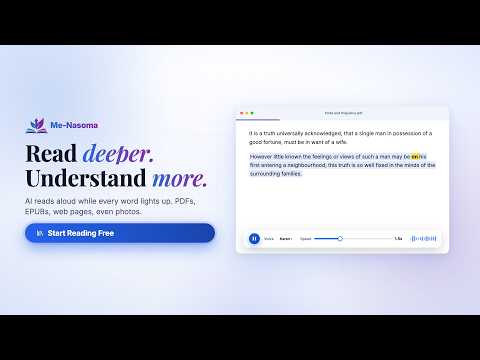
Listen to any article with natural Me-Nasoma Premium voices — the words highlight on the page as it reads.
Meet Me-Nasoma your reading companion for the web. Me-Nasoma helps you read and listen to content directly from the web, making it easier to learn, study, research, and enjoy your favorite content. Whether you're reading a Wikipedia article, Google Docs document, blog post, research paper, or other web content, Me-Nasoma can turn the text into natural-sounding speech while highlighting the words as they are spoken. What you can do with Me-Nasoma 1. Listen to web content Turn articles and other readable web pages into audio and listen while you follow along. 2. Read along with synchronized highlighting Words are highlighted as they're spoken, helping you stay focused and follow the content effortlessly. 3. Read content from across the web Use Me-Nasoma with a wide range of online content from Wikipedia and blogs to Google Docs and other web pages. 4. Natural-sounding voices Enjoy a more natural and engaging listening experience with Me-Nasoma's Premium voices. 5. Learn while you listen Make reading and studying more flexible by listening to your content instead of being limited to reading from the screen. How it works 1. Install the Me-Nasoma Web Extension. 2. Open an article, document, or webpage you want to read. 3. Launch Me-Nasoma. 4. Start listening and follow along as the words are highlighted. Read. Listen. Learn. Anywhere on the Web. Discover a better way to experience digital content with Me-Nasoma.
5 out of 52 ratings
Details
- Version1.0.5
- UpdatedSeptember 19, 2026
- Size163KiB
- LanguagesEnglish (United States)
- DeveloperWebsite
Email
oscarkaruga1@gmail.com - Non-traderThis developer has not identified itself as a trader. For consumers in the European Union, please note that consumer rights do not apply to contracts between you and this developer.
Privacy

Me-Nasoma has disclosed the following information regarding the collection and usage of your data. More detailed information can be found in the developer's privacy policy.
Me-Nasoma handles the following:
This developer declares that your data is
- Not being sold to third parties, outside of the approved use cases
- Not being used or transferred for purposes that are unrelated to the item's core functionality
- Not being used or transferred to determine creditworthiness or for lending purposes
Support
For help with questions, suggestions, or problems, visit the developer's support site