

Amazon Sales Reconcile for Amazon Sellers
1 rating
)
Overview
Amazon seller payout & settlement reconciliation: every order, fee, reserve and TCS/TDS. Export to Tally, Zoho, Excel. No upload.
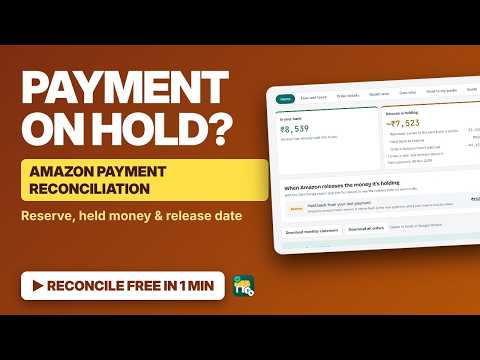
Where is my Amazon money? Why is my payout less than my sales? Was every order paid? Amazon Sales Reconcile answers these in one screen for Amazon India sellers. Download your reports from Seller Central as usual, and the extension reads them on your own computer. Nothing is uploaded to any server and we never see your login. WHAT IT DOES ★ Payout tracker: where's my money • See what is already in your bank, what Amazon is still holding, and what is coming in the next payment • Account level reserve and held money, with when it is released • Orders Amazon has not paid yet, and late orders flagged so you know what to raise with seller support ★ Payout explained: why did I get less • Every rupee Amazon kept, as a % of your sales • Commission (referral fee), closing fee, shipping, Easy Ship and FBA fees, ads, storage, discounts • Refund and return charges, cancellation charges, "paid less than billed" alerts • GST on Amazon fees and TCS/TDS you can claim back ★ Order-level reconciliation • Every order matched to its settlement: paid, coming, not paid, refunded, cancelled • FBA, Easy Ship and Self Ship split • "Needs a look" flag on orders where the money doesn't add up • Copy to Excel in one click ★ Settlement report, simplified • Monthly Amazon statement: sold, Amazon's cut, your money • Money received date by date with the settlement ID, to match each payout to your bank credit • Month-wise and date-wise views, download as Excel or Google Sheets ★ Send it to your books • TallyPrime / Tally.ERP 9: push straight into Tally over port 9000, or save files to import with Alt+O • Zoho Books manual journals, QuickBooks journal entries, Busy / Marg vouchers sheet, plain CSV, full Excel workbook • Sales with GST (IGST or CGST + SGST), customer refunds as credit notes, Amazon fees, TCS/TDS and bank receipts • GSTR-1 style GST tables (B2C by state, HSN summary) and a TCS/TDS sheet to tick against GSTR-2B and 26AS. Hand it to your CA. HOW TO USE 1. Log in to Seller Central (sellercentral.amazon.in) in Chrome. 2. Download your payment / transaction report and the MTR (sales tax report). The extension keeps a copy, or drag the files in. 3. Click the extension icon and pick what you want to know. Works with: Transaction / Payments report (CSV), Settlement Flat File V2, Date Range report, MTR B2C and B2B (CSV, ZIP, XLSX). PRIVATE BY DESIGN • Runs fully in your browser. Your reports stay on your computer. • No account, no password, no Seller Central API access needed. • The only connection it makes is to your own Tally, and only when you click "Send to Tally". Made for Amazon India sellers, accountants and CAs who do Amazon payment reconciliation, Amazon settlement report reconciliation, Amazon TCS / TDS reconciliation and Amazon to Tally entry every month. Not affiliated with or endorsed by Amazon or Tally Solutions. Amazon and Tally are trademarks of their owners.
5 out of 51 rating
Details
- Version0.2.4
- UpdatedNovember 5, 2026
- Offered byakshay.jain.d@gmail.com
- Size113KiB
- LanguagesEnglish
- Developer
Email
akshay.jain.d@gmail.com - Non-traderThis developer has not identified itself as a trader. For consumers in the European Union, please note that consumer rights do not apply to contracts between you and this developer.
Privacy

This developer declares that your data is
- Not being sold to third parties, outside of the approved use cases
- Not being used or transferred for purposes that are unrelated to the item's core functionality
- Not being used or transferred to determine creditworthiness or for lending purposes