

X to PDF
ExtensionAccessibility

Overview
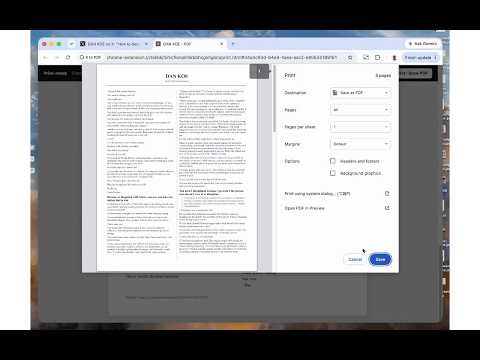
Turn an open X Article into a clean, two-column, 9 pt print-ready document.
Save X Articles as clean, readable PDFs for offline reading, printing, or keeping a personal reference copy. X to PDF removes the surrounding interface and turns the article into a compact two-column document. Headings, emphasis, links, quotations, lists, and code are preserved, so you can focus on the content. Open an X Article, click **Create PDF**, review the preview, and use Chrome’s print dialog to save or print it. Everything is processed locally on your computer—no article uploads, tracking, or additional account required. Designed for X long-form Articles. Not affiliated with X.
0 out of 5No ratings
Details
- Version1.0.1
- UpdatedOctober 7, 2026
- Offered bysojoodi
- Size12.79KiB
- LanguagesEnglish
- Developer
Email
ops@sojoodi.com - Non-traderThis developer has not identified itself as a trader. For consumers in the European Union, please note that consumer rights do not apply to contracts between you and this developer.
Privacy

Manage extensions and learn how they're being used in your organization
The developer has disclosed that it will not collect or use your data. To learn more, see the developer’s privacy policy.
This developer declares that your data is
- Not being sold to third parties, outside of the approved use cases
- Not being used or transferred for purposes that are unrelated to the item's core functionality
- Not being used or transferred to determine creditworthiness or for lending purposes