

X Customs

Overview
Customize your X experience - Hide annoying sidebar panels, change accent colors, and more on X (Twitter)!
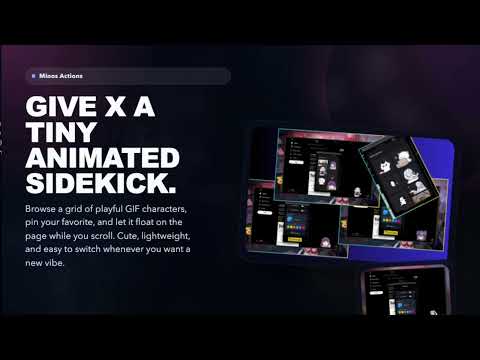
X Customs - Customize Your X Experience 👊🏻 Version 1.0.4 – Rebranded & Refined We've got a fresh new name and polished up the experience: 🎨 Rebranded to X Customs – formerly X-Hidden, now with a name that reflects everything we do: hiding clutter, customizing colors, and adding personality. 🛠️ Loading Spinner Fix – custom accent colors now properly apply to loading spinners across the site. No more blue spinners when you've chosen a different theme. 🛠️ "New Posts" Button Fix – the floating "New posts are available" notification now matches your chosen accent color, including those Premium avatar rings. 📥 Media Downloads – easily download images and videos directly from X with a simple right-click context menu. No more third-party tools needed! 🐱 More Minos GIFs – added fresh new animated characters to our Minos collection so your tiny companion has even more friends. ✨ What X Customs Does 🚫 Hides distracting UI on both sides of X (X.com): ◀️ Left side: Home, Explore, Notifications, Follow, Chat, Grok, Bookmarks, Creator Studio, Premium, Profile, More, Post button, Account button, or the entire sidebar. ▶️ Right side: "Subscribe to Premium", Today's News, What's Happening (trending), Who to follow, Search box, footer links, or the entire sidebar. ⬇️ Bottom: Grok AI drawer, Chat drawer. 🔘 Simple ON/OFF switches for each section, grouped into clean dropdowns: – "Left Sidebar" for navigation buttons – "Right Sidebar" for recommendation and promo panels – "Bottom Drawers" for Grok and Chat bars 🎨 Accent Color Picker – choose any custom color to personalize X's interface, with recent-color presets for quick switching. 🐱 Minos Actions – select an adorable animated GIF character to display as a floating widget on X. 📥 Media Downloader – right-click any image or video on X to download it directly. No external tools needed. ⚡ Lightweight & Fast – uses smart CSS rules instead of heavy scripts, so it feels instant and doesn't slow your browser down. ☁️ Syncs Everywhere – saves your preferences via Chrome, so your setup follows you to any computer where you're signed in. ✅ Why Install It If you're tired of seeing Premium prompts, suggestions, and panels you never click on, X Customs lets you turn them off once and keep them off. You keep full control over which parts of X stay visible: hide only the pieces you dislike, keep the ones you use every day, and make the site feel like it was designed for you — not for ads and recommendations. With custom accent colors, cute GIF companions, and media downloads, X Customs isn't just about hiding clutter — it's about making X feel personal. Install X Customs if you want a cleaner, quieter, and more personal X experience where your attention stays on content, not clutter.
0 out of 5No ratings
Details
- Version1.0.4
- UpdatedApril 23, 2026
- Offered byMinh Thành
- Size18.24MiB
- LanguagesEnglish
- Developer
Email
thanh@Onename.net - Non-traderThis developer has not identified itself as a trader. For consumers in the European Union, please note that consumer rights do not apply to contracts between you and this developer.
Privacy

This developer declares that your data is
- Not being sold to third parties, outside of the approved use cases
- Not being used or transferred for purposes that are unrelated to the item's core functionality
- Not being used or transferred to determine creditworthiness or for lending purposes