

X Followers Tracker
3 ratings
)
Overview
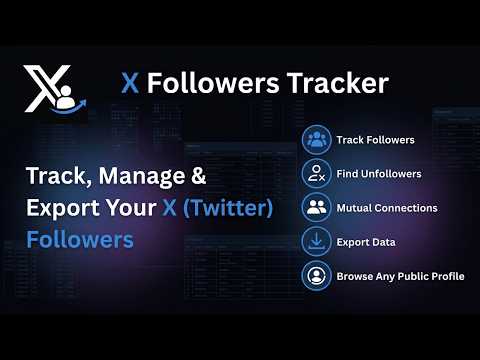
Track and manage your X (Twitter) followers and following, with insights into unfollowers and mutual connections.
X Followers Tracker provides a privacy-focused workspace for understanding and managing your audience on X (formerly Twitter). Instead of checking profile pages one by one, you can review account relationships from a dedicated management panel and keep useful records for future reference. The extension brings together information about the people connected to your account. It helps you understand which relationships are mutual and identify accounts that do not follow you back. You can also see people who follow you but whom you do not currently follow, making it easier to review your connections without manually comparing separate pages. Recent changes can be reviewed from the same panel. When the extension detects that someone has unfollowed your account, that information becomes available for later review. This gives you a clearer picture of how your audience changes over time. The extension also works with public profiles. You can browse available audience information from those profiles and review their connections in a more organized interface. Availability may depend on what the profile and platform make accessible to your account. When you need to work with the information outside the browser, you can export the available data as CSV, Excel, or JSON. These files can be used for spreadsheet analysis, internal reporting, research, or personal backup. The extension is useful for people managing personal accounts as well as creator, community, and business profiles. It can also help researchers organize publicly available account information into a structured format. How to Use 1. Open your own profile page. 2. Click the Followers Tracker button next to your profile name. 3. Open the management panel to review the available account categories. 4. Browse, manage, or export the information you need. Data Privacy Account-list data is processed locally on your device. We do not upload your account information, collected lists, or other personal data to our servers. This local-first approach keeps the information under your control while you review and export it. In-App Purchases The Free and Pro plans include the same functionality but support different management limits. The Free plan can manage up to 200 accounts, while the Pro plan supports up to 20,000 accounts. Subscription details and current pricing are displayed inside the extension before purchase. Disclaimer This browser extension is an independent product and is not affiliated with, endorsed by, or sponsored by X Corp.
3.7 out of 53 ratings
Details
- Version1.0.2
- UpdatedSeptember 23, 2026
- Offered byGMB Audit
- Size2.52MiB
- Languages54 languages
- Developer
Email
support@extensionsbox.com - Non-traderThis developer has not identified itself as a trader. For consumers in the European Union, please note that consumer rights do not apply to contracts between you and this developer.
Privacy

X Followers Tracker has disclosed the following information regarding the collection and usage of your data. More detailed information can be found in the developer's privacy policy.
X Followers Tracker handles the following:
This developer declares that your data is
- Not being sold to third parties, outside of the approved use cases
- Not being used or transferred for purposes that are unrelated to the item's core functionality
- Not being used or transferred to determine creditworthiness or for lending purposes
Support
For help with questions, suggestions, or problems, please open this page on your desktop browser