


Overview
Sync bookmarks, likes & own tweets, with AI summaries and smart replies for X (Twitter)
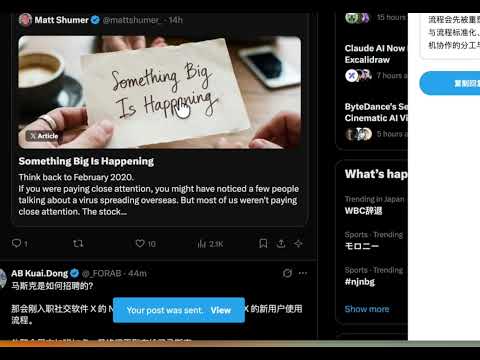
A Chrome extension for X (Twitter) power users — sync bookmarks & likes to local storage, search them offline, and use AI to summarize tweets and generate smart replies. Features Bookmark & Likes Sync One-click sync — Sync your X bookmarks, likes, or own tweets with a single click Full-page search — Search all synced tweets by content, author, or handle in a dedicated full-screen page Rich content extraction — Captures tweet text, quoted tweets, article cards (title + cover image + description), and media images Real-time updates — Open the search page during sync and watch tweets appear as they're extracted Offline browsing — All data stored locally in chrome.storage, no server required AI-Powered Analysis Tweet summarization — Click the ✨ button on any tweet to get a structured summary with TLDR, key points, and fact-check Streaming output — AI response streams in real-time with live markdown rendering, no more waiting for the full result Smart replies — AI generates a suggested reply matching the tweet's language and your chosen style Reply styles — Professional discussion, friendly interaction, or concise agreement Regenerate — Switch styles or add custom instructions to regenerate just the reply without re-summarizing Markdown export — Save the summary + reply as a .md file with one click Supports OpenAI & Claude — Bring your own API key, with configurable base URL and model Usage 1. Configure AI (optional) Click the extension icon → Settings tab → under "AI 总结配置": Select your AI provider (OpenAI or Claude) Enter your API Key (encrypted and stored locally) Optionally set a custom Base URL and Model Choose your preferred reply style Once an API key is saved, the ✨ summarize button will appear on tweets. 2. Summarize a tweet On any X page, click the ✨ icon in a tweet's action bar. A side panel will open and stream the AI analysis in real-time: Summary — TLDR, key points, fact-check with credibility score (streams as it generates) Suggested reply — editable, with copy-to-clipboard button (appears when streaming completes) Regenerate — pick a different style or add instructions to regenerate the reply Save Markdown — export everything as a .md file 3. Sync bookmarks & likes Click the extension icon → Sync tab → choose Bookmarks, Likes, or My Tweets → click sync. Set your X handle in Settings first (required for likes/tweets sync). 4. Search and browse Quick search — Type a keyword in the popup and click "Search" Browse all — Click "View all" to open the full-page view Click any tweet to open the original post on X 一个面向 X (Twitter) 重度用户的 Chrome 扩展 — 书签和喜欢同步到本地离线搜索,AI 一键总结推文并生成智能回复。 功能 书签同步 一键同步书签、喜欢、我的推文,全页面搜索,离线浏览 丰富内容提取:推文、引用、文章卡片、媒体图片 AI 智能分析 点击推文上的 ✨ 按钮,获取结构化总结(TLDR + 关键点 + 事实核查) 流式输出:AI 分析结果实时渲染,无需等待完整响应 自动生成建议回复,匹配原推语言,支持三种风格 可输入自定义指令重新生成回复,不重复调用总结 一键导出 Markdown 使用 配置 AI — 扩展设置中选择 AI 接口(OpenAI / Claude),填入 API Key,选择回复风格 总结推文 — 在 X 页面点击推文操作栏的 ✨ 按钮,右侧面板实时流式显示总结,完成后展示建议回复 同步 — 点击扩展图标 → 同步 → 选择「书签」或「喜欢」→ 开始同步 搜索 — 输入关键词搜索,或查看全部同步推文
0 out of 5No ratings
Details
- Version4.4.0
- UpdatedSeptember 10, 2026
- Size91.61KiB
- Languages中文(中国)
- DeveloperWebsite
Email
lilong@gmail.com - Non-traderThis developer has not identified itself as a trader. For consumers in the European Union, please note that consumer rights do not apply to contracts between you and this developer.
Privacy

This developer declares that your data is
- Not being sold to third parties, outside of the approved use cases
- Not being used or transferred for purposes that are unrelated to the item's core functionality
- Not being used or transferred to determine creditworthiness or for lending purposes
Support
For help with questions, suggestions, or problems, please open this page on your desktop browser