

X Bookmarks Exporter - Export Twitter Bookmarks

Overview
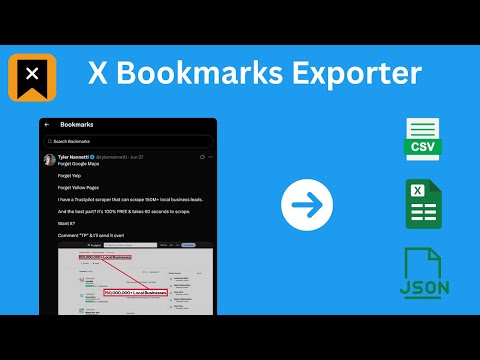
Download X (Twitter) bookmarks instantly as CSV, JSON, or XLSX. One-click export for backup, offline access, or sharing.
📌 X Bookmarks Exporter – Export & Download Your Twitter/X Bookmarks with Ease Tired of losing track of your saved posts on X (formerly Twitter)? X Bookmarks Exporter is the ultimate tool to download, back up, and manage your X bookmarks effortlessly. Whether you’re bookmarking insightful threads, viral tweets, or important media, this extension helps you export everything to your computer in seconds — no tech skills required! ✨ What Is X Bookmarks Exporter? X Bookmarks Exporter is a fast, secure, and privacy-focused extension that lets you export your bookmarks from X (Twitter) in one click. Save your favorite posts in easy-to-use formats like CSV, JSON, and Excel (XLSX), so you can organize, search, or archive them however you want. Unlike Twitter’s limited interface, this tool gives you full control over your bookmarks — including the ability to download images and videos from bookmarked posts! 🔑 Key Features ✅ 1. One-Click Export - Export all your Twitter/X bookmarks in a single flow - Include tweet text, author, timestamps, and engagement metrics - Simple, intuitive UI inside your browser 📂 2. Multiple File Format Support Choose how you want your data: • CSV for spreadsheet lovers • JSON for developers and automation workflows • XLSX (Excel) for business users and advanced sorting/filtering 🖼️ 3. Media Downloads (NEW!) Want to keep the images and videos from your bookmarks? Simply enable the Download Media option to save all embedded media with your export. 🧼 4. Bulk Delete After Export Once you’ve safely exported your bookmarks, you can bulk delete them directly from the extension. This helps you clean up your X bookmarks without worrying about losing important content. 📁 5. Folder-Based Export for X Premium Users If you’re an X Premium user, you can choose a specific bookmark folder to export instead of exporting everything. This is ideal for organizing exports by topic, project, or collection. 🔒 6. Fully Local & Private Your data never leaves your browser. No data is uploaded, stored, or tracked. All processing happens on your device for 100% security and peace of mind. Perfect for: • 🧑🎓 Researchers saving insightful threads • 📝 Writers collecting references • 📈 Marketers archiving campaign inspiration • 👩💻 Developers building tools using saved tweet data • 🗃️ Archivists keeping personal records 🚀 How to Use X Bookmarks Exporter Using the extension is super simple: 1. 🌐 Visit your X Bookmarks page: https://x.com/i/bookmarks 2. ⚙️ Optional: Enable “Download Media” in the extension settings 3. 🔽 Open the extension and click the “Start” button 4. ⏳ Watch the export progress in a popup window 5. 💾 When complete, click “Download” again to save the file in your chosen format You can select your preferred format (CSV, JSON, XLSX) in the extension’s settings by clicking the icon in your browser toolbar. 🔍 Why Export Your Twitter/X Bookmarks? Many users rely on X Bookmarks to keep track of important content — but the platform provides no built-in export option. This extension solves that problem by giving you a reliable backup of everything you’ve saved. Benefits: • 🧾 Create searchable, local archives • 📊 Organize bookmarks in spreadsheets • 💡 Use saved content for research, content creation, or personal growth • 🔄 Sync your data across platforms • 🧼 Clean up your bookmarks without fear of losing anything 💬 Frequently Asked Questions (FAQs) ❓ Is it safe to use? Yes! Your data stays on your device. The extension doesn’t collect, transmit, or store anything — period. ❓ Can I download media? Yes! Simply enable the “Download Media” option in the extension before exporting. This includes images, GIFs, and videos embedded in your bookmarked tweets. ❓ Does this work with private accounts or protected tweets? Only if you’re logged into X and can view those bookmarks yourself. The extension only has access to what your browser can see. ❓ Is this an official tool by Twitter or X Corp? No. This is an independent third-party tool not affiliated with or endorsed by X Corp. 🔗 Promoted Extensions In addition to exporting your bookmarks, this extension includes a **“More Tools”** tab that introduces you to other X-focused companion extensions to help you go even deeper with your data: • X Likes Exporter • X Post Exporter • X/Twitter Followers Exporter 💎 Upgrade to Pro – Unlock Everything For just $9.90, go Pro and enjoy: • 📥 Unlimited bookmarks export • 🖼️ Download bookmark media • ⚙️ Priority support 🛡️ Privacy Comes First We believe your data belongs to you. That’s why X Bookmarks Exporter works 100% locally in your browser — no servers, no data harvesting, no tracking. Your bookmarks are yours alone. ⚠️ Legal Disclaimer This extension is an independent product and is not affiliated, associated, authorized, or endorsed by X Corp or Twitter Inc. All trademarks are property of their respective owners. ✅ Start Exporting Now Don’t risk losing access to your valuable bookmarks. Get X Bookmarks Exporter today and create your own personal archive of saved content — media and all! 🧲 Download now and take back control of your X bookmarks!
3.3 out of 514 ratings
Details
- Version2.5.0
- UpdatedAugust 14, 2026
- Size259KiB
- Languages8 languages
- DeveloperWebsite
Email
browseragents@gmail.com - Non-traderThis developer has not identified itself as a trader. For consumers in the European Union, please note that consumer rights do not apply to contracts between you and this developer.
Privacy

X Bookmarks Exporter - Export Twitter Bookmarks has disclosed the following information regarding the collection and usage of your data. More detailed information can be found in the developer's privacy policy.
X Bookmarks Exporter - Export Twitter Bookmarks handles the following:
This developer declares that your data is
- Not being sold to third parties, outside of the approved use cases
- Not being used or transferred for purposes that are unrelated to the item's core functionality
- Not being used or transferred to determine creditworthiness or for lending purposes
Support
For help with questions, suggestions, or problems, visit the developer's support site