

X Article Import

Overview
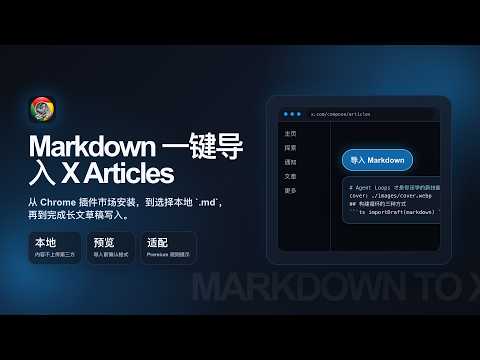
将本地 Markdown 导入 X Articles 草稿编辑器。Import local Markdown into the X Articles draft editor.
X Article Import 是一款轻量级 Chrome 扩展,帮助你在 X Articles 编辑器中快速导入本地 Markdown 草稿。 核心功能: - 一键导入:在 X Articles 编辑器挂载「导入 Markdown」按钮,选择本地 .md 文件即可写入草稿 - 富内容支持:标题、正文、封面图、内容图片/视频、代码块、分割线 - 订阅层级适配:针对 X Premium / Premium+ 自动处理深层标题、表格转图、Mermaid 提示等 - 本地媒体:支持选择文件夹或补充图片/视频,与 Markdown 中的相对路径自动匹配 - 纯本地处理:文件在浏览器内读取,不上传到任何第三方服务器 使用步骤: 1. 打开 x.com/compose/articles(需 X Premium 文章编辑权限) 2. 点击工具栏或空白区的「导入 Markdown」 3. 在预览对话框中确认标题、封面与适配提示,选择订阅层级 4. 确认后等待导入进度完成 注意: - 仅在 x.com 的 Articles 编辑相关页面生效 - 需要 X Premium 才能使用 X Articles 功能 - 列表内嵌图片等边缘格式可能需要导入后人工微调 - Markdown 与媒体文件均保留在本地,扩展不收集文章内容 开源项目: https://github.com/imartinstudio/mts-x-article-import
0 out of 5No ratings
Details
- Version0.2.0
- UpdatedJuly 14, 2026
- Size4.07MiB
- Languages中文(中国)
- Developer
Email
imartinstudio@gmail.com - Non-traderThis developer has not identified itself as a trader. For consumers in the European Union, please note that consumer rights do not apply to contracts between you and this developer.
Privacy

This developer declares that your data is
- Not being sold to third parties, outside of the approved use cases
- Not being used or transferred for purposes that are unrelated to the item's core functionality
- Not being used or transferred to determine creditworthiness or for lending purposes
Support
For help with questions, suggestions, or problems, visit the developer's support site