Item logo image for Writeous - Google Docs Cheat Detection

Writeous - Google Docs Cheat Detection

Featured
5.0(

5 ratings

)
Item media 5 (screenshot) for Writeous - Google Docs Cheat Detection
Item media 6 (screenshot) for Writeous - Google Docs Cheat Detection
Item video thumbnail
Item media 2 (screenshot) for Writeous - Google Docs Cheat Detection
Item media 3 (screenshot) for Writeous - Google Docs Cheat Detection
Item media 4 (screenshot) for Writeous - Google Docs Cheat Detection
Item media 5 (screenshot) for Writeous - Google Docs Cheat Detection
Item media 6 (screenshot) for Writeous - Google Docs Cheat Detection
Item video thumbnail
Item media 2 (screenshot) for Writeous - Google Docs Cheat Detection
Item video thumbnail
Item media 2 (screenshot) for Writeous - Google Docs Cheat Detection
Item media 3 (screenshot) for Writeous - Google Docs Cheat Detection
Item media 4 (screenshot) for Writeous - Google Docs Cheat Detection
Item media 5 (screenshot) for Writeous - Google Docs Cheat Detection
Item media 6 (screenshot) for Writeous - Google Docs Cheat Detection

Overview

The essential tool for teachers to monitor Google Docs for AI content, copy-paste events, and unusual writing styles.

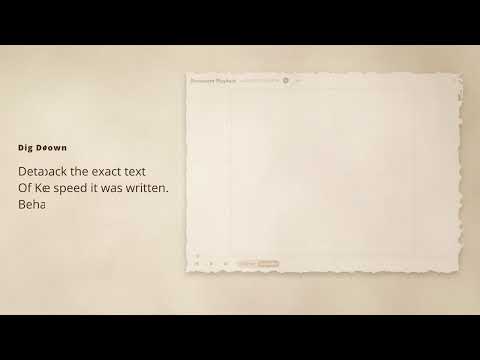
Catch Cheating in Google Docs with Writeous! 🕵️‍♀️ Worried about academic integrity in Google Docs? Writeous is your ultimate solution for detecting suspicious student behavior and ensuring fair assessments! Our powerful Chrome extension provides deep insights into the writing process, helping you easily identify instances of cheating. 🚀Start your 30-day FREE trial today – no credit card required Just log in with your Google account and experience the power of Writeous. How to Get Started: 1. ➕ Add Writeous to Chrome: Simply install the extension from the store. 2. 📄 Open a Google Doc: Navigate to any Google Document. 3. 👆 Click "Analyze": Find the "Analyze" button right in your document's header. Optional: ⚙️ Collapse View: Prefer a smaller view? Hit the collapse button in the top right. Unlock Powerful Features: Writeous is packed with features designed to give you a comprehensive understanding of student activity: • ✍️ Cheating Detection: Our heuristic-based AI and suspicious behavior detection pinpoints potential cheating in Google Docs. • 💡 Instant Insights: Get an at-a-glance determination of document integrity right at the top of each Google Doc. • ↔️ Multi-Tab & Multi-User Support: Monitor multiple tabs and users seamlessly. • 🗓️ Complete Writing Timeline: See every editing session, track time spent writing, and follow revision patterns from start to finish. • ▶️ Full Video Replay: Watch the entire writing process unfold from the first word to the final draft! • 📝 Sophisticated Copy/Paste Detection: Keep track of both external and internal copy-pastes. • 🏫 Google Classroom Integration: Connects effortlessly with submitted assignments created in Google Docs. • 🔎 Enhanced Video Navigation: Each analysis tab highlights important events with clickable cards that take you straight to that moment in the replay. • 🧐 Smart Writing Pattern Detection: Spot unusual writing behaviors such as nonstop typing, overly advanced vocabulary, or patterns that don't seem human and may need a closer look. • 📚 Vocabulary & Writing Session Analysis: Dive deep into student vocabulary usage and writing session details. • 🛠️ Customizable Settings: Fine-tune heuristic thresholds and weights to fit your specific needs. • 📊 Easy-to-Use Graphs: Visualize student behavior over the life of the document with clear, intuitive graphs. Pricing: After your free trial, continue using Writeous for just $6.99 a month or save with our annual plan for $50 a year. Ready to bring more integrity to your online assignments? Install Writeous today! Any questions or concerns? Contact us at writeousapp@gmail.com

Details

  • Version
    1.2
  • Updated
    August 4, 2025
  • Features
    Offers in-app purchases
  • Offered by
    Writeous LLC
  • Size
    2.15MiB
  • Languages
    English
  • Developer
    Email
    writeousapp@gmail.com
  • Non-trader
    This developer has not identified itself as a trader. For consumers in the European Union, please note that consumer rights do not apply to contracts between you and this developer.

Privacy

Manage extensions and learn how they're being used in your organization

Writeous - Google Docs Cheat Detection has disclosed the following information regarding the collection and usage of your data. More detailed information can be found in the developer's privacy policy.

Writeous - Google Docs Cheat Detection handles the following:

Personally identifiable information
Authentication information

This developer declares that your data is

  • Not being sold to third parties, outside of the approved use cases
  • Not being used or transferred for purposes that are unrelated to the item's core functionality
  • Not being used or transferred to determine creditworthiness or for lending purposes

Support

Related

Undrstnd: Own Your Understanding

5.0

Undrstnd helps you take ownership of your intellectual agency. Gain control without outsourcing your thinking.

TrueWrite - Teacher AI Detection & Document Replay Analytics

5.0

Advanced writing analytics with document replay visualization. Professional teacher insights dashboard with AI detection.

Revision History: Writing Process Visibility for Google Docs & Slides

3.6

Built for teachers: See how students write, not just what they wrote. View the writing process in Google Docs & Slides.

GitHub Clone in VS Code

5.0

Adds a 'Clone in VS Code' button to GitHub repositories as if it were a native feature for instant one-click cloning.

SumGeniusAI VibeCheck

5.0

AI-powered tone analysis by SumGeniusAI - Never send the wrong message again

GPT Scrambler

5.0

Use GPT Scrambler as a humanizer to convert AI to human text. It works like undetectable AI in essays and other writing

Art Prompt Generator

5.0

Discover Art Prompt Generator that transforms ideas in captivating visuals. Enhance your workflow with our innovative AI art maker.

WriteHuman - History Replay for Google Docs

4.7

WriteHuman lets you watch the writing of any Google Doc (that you’re given access to, or the editor of) from start to finish.

ChatGPT PasteBuddy

5.0

Never type twice—save prompts with PasteBuddy for instant one-click reuse. Chat Smarter, Not Harder! 😉 #LoveYourNeighbor

AI Voice Assistant – Smart Browser Copilot

4.3

AI assistant that works inside your browser tab. Ask by voice and get instant, context-aware AI responses.

Michael's Upgrade for TrakED

5.0

Upgraded features for TrakED in the THS. (This extension is not an official product of the THS or Intersystems TrakCare software.)

ZeroCheating

4.7

The extension to assess cheating

Undrstnd: Own Your Understanding

5.0

Undrstnd helps you take ownership of your intellectual agency. Gain control without outsourcing your thinking.

TrueWrite - Teacher AI Detection & Document Replay Analytics

5.0

Advanced writing analytics with document replay visualization. Professional teacher insights dashboard with AI detection.

Revision History: Writing Process Visibility for Google Docs & Slides

3.6

Built for teachers: See how students write, not just what they wrote. View the writing process in Google Docs & Slides.

GitHub Clone in VS Code

5.0

Adds a 'Clone in VS Code' button to GitHub repositories as if it were a native feature for instant one-click cloning.

SumGeniusAI VibeCheck

5.0

AI-powered tone analysis by SumGeniusAI - Never send the wrong message again

GPT Scrambler

5.0

Use GPT Scrambler as a humanizer to convert AI to human text. It works like undetectable AI in essays and other writing

Art Prompt Generator

5.0

Discover Art Prompt Generator that transforms ideas in captivating visuals. Enhance your workflow with our innovative AI art maker.

WriteHuman - History Replay for Google Docs

4.7

WriteHuman lets you watch the writing of any Google Doc (that you’re given access to, or the editor of) from start to finish.

Google apps