


Overview
Clip images, links, articles, and text from any page into a Wovea board — auto-tagged and organized.
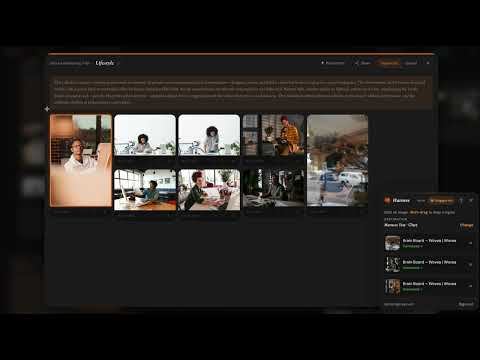
Grab any image — or snap a region of any page — and drop it straight onto your Wovea Brain Boards, without breaking your flow. Flip on the Dropper, then: • Click any image to save it at full resolution. • Shift-drag to snap a screenshot of any region. • Press ⌘/Ctrl+A to grab every image on the page at once. Everything lands in your board's Clips collection, auto-tagged by AI and ready to arrange — no re-uploading, no copy-paste. Your research collects itself while you browse. Requires a free Wovea account (wovea.ai).
0 out of 5No ratings
Details
- Version0.2.0
- UpdatedJuly 3, 2026
- Size918KiB
- LanguagesEnglish
- DeveloperWebsite
Email
lamont@wovea.ai - Non-traderThis developer has not identified itself as a trader. For consumers in the European Union, please note that consumer rights do not apply to contracts between you and this developer.
Privacy

Wovea Harness has disclosed the following information regarding the collection and usage of your data. More detailed information can be found in the developer's privacy policy.
Wovea Harness handles the following:
This developer declares that your data is
- Not being sold to third parties, outside of the approved use cases
- Not being used or transferred for purposes that are unrelated to the item's core functionality
- Not being used or transferred to determine creditworthiness or for lending purposes
Support
For help with questions, suggestions, or problems, please open this page on your desktop browser