Item logo image for WorkTrace

WorkTrace

Item media 5 (screenshot) for WorkTrace
Item media 1 (screenshot) for WorkTrace
Item media 2 (screenshot) for WorkTrace
Item media 3 (screenshot) for WorkTrace
Item media 4 (screenshot) for WorkTrace
Item media 5 (screenshot) for WorkTrace
Item media 1 (screenshot) for WorkTrace
Item media 2 (screenshot) for WorkTrace
Item media 3 (screenshot) for WorkTrace
Item media 4 (screenshot) for WorkTrace
Item media 5 (screenshot) for WorkTrace

Overview

A privacy-first screen recorder that helps students document their work sessions for assignments and projects.

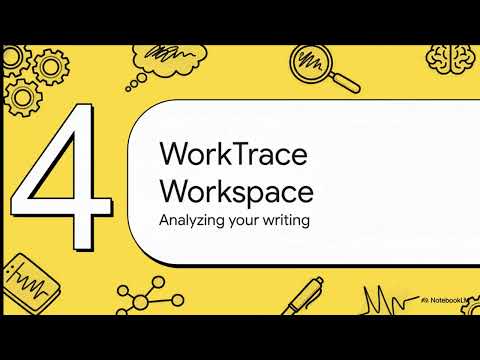
WorkTrace is a privacy-first academic work documentation tool designed for students and researchers who want transparent, verifiable proof of how their work was completed. It combines manual screen recording with an optional writing workspace that tracks process-level activity such as time spent working, idle periods, and paste behavior—without storing document content for verification. WorkTrace allows users to record their screen while working on assignments, projects, theses, code, reports, or other academic tasks, and to generate locally stored session records with cryptographic verification hashes. The built-in workspace offers a Docs-style editor that provides additional evidence of writing activity, including typed versus pasted word counts, active time, and multiple attempts per assignment. WorkTrace does not upload, transmit, or share any data. All recordings, workspace sessions, and verification logs are stored locally on the user’s device and are only exported at the user’s discretion.

Details

  • Version
    1.0.2
  • Updated
    January 9, 2026
  • Offered by
    Redeemer Buatsi
  • Size
    240KiB
  • Languages
    English (United States)
  • Developer
    Email
    buatsi60@gmail.com
  • Non-trader
    This developer has not identified itself as a trader. For consumers in the European Union, please note that consumer rights do not apply to contracts between you and this developer.

Privacy

The developer has disclosed that it will not collect or use your data.

This developer declares that your data is

  • Not being sold to third parties, outside of the approved use cases
  • Not being used or transferred for purposes that are unrelated to the item's core functionality
  • Not being used or transferred to determine creditworthiness or for lending purposes

Support

Related

Revision History: Writing Process Visibility for Google Docs & Slides

3.6

Built for teachers: See how students write, not just what they wrote. View the writing process in Google Docs & Slides.

StudyHack+

0.0

AI-powered study assistant that helps explain educational content through screenshots.

10000Hours - Website usage tracking & Distraction blocking

5.0

Track website usage time and block distracting sites during focus sessions. Customize your blocked sites list.

Waybook Shots - Turn Screenshots into SOPs Instantly

5.0

Stop pausing your work to document it. Capture your screen and instantly turn every click into a step-by-step guide.

Aidify

4.6

Providing data on students’ writing process and time spent on Google Docs to verify student effort.

Simple Time Track

4.1

Easy and free time tracking of tasks in the browser running in the background.

SafeBlur - Hide sensitive info

3.0

Keep sensitive information safe when sharing your screen or making a video. Ideal for creators, professionals, and educators.

TrueWrite - Teacher AI Detection & Document Replay Analytics

5.0

Advanced writing analytics with document replay visualization. Professional teacher insights dashboard with AI detection.

Steppr - Browser action to how-to guide generator

5.0

Record browser actions and instantly create step-by-step guides with annotated screenshots. Export to HTML or Markdown.

Planfix: Timer

3.7

Recording and tracking time spent on tasks and projects

HelpDoc Tool - Cync Software

5.0

Capture user actions and screenshots for documentation (Standalone Edition)

Runn Time Tracker

5.0

The Runn Time Tracker gives you the ability to track and record your time against projects scheduled in Runn.

Revision History: Writing Process Visibility for Google Docs & Slides

3.6

Built for teachers: See how students write, not just what they wrote. View the writing process in Google Docs & Slides.

StudyHack+

0.0

AI-powered study assistant that helps explain educational content through screenshots.

10000Hours - Website usage tracking & Distraction blocking

5.0

Track website usage time and block distracting sites during focus sessions. Customize your blocked sites list.

Waybook Shots - Turn Screenshots into SOPs Instantly

5.0

Stop pausing your work to document it. Capture your screen and instantly turn every click into a step-by-step guide.

Aidify

4.6

Providing data on students’ writing process and time spent on Google Docs to verify student effort.

Simple Time Track

4.1

Easy and free time tracking of tasks in the browser running in the background.

SafeBlur - Hide sensitive info

3.0

Keep sensitive information safe when sharing your screen or making a video. Ideal for creators, professionals, and educators.

TrueWrite - Teacher AI Detection & Document Replay Analytics

5.0

Advanced writing analytics with document replay visualization. Professional teacher insights dashboard with AI detection.

Google apps