

WorkSpace AI Tab Monitor

Overview
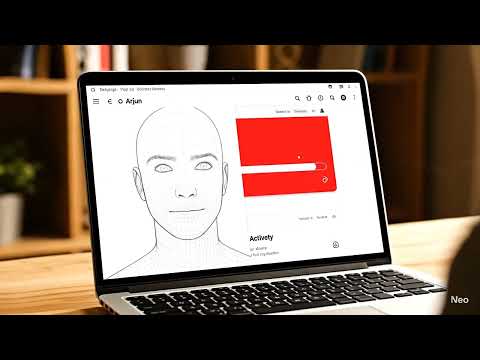
Monitors tab content and blocks distracting sites during focus sessions
# Chrome Extension Privacy Justifications ## Permission Justifications for Chrome Web Store ### 🔔 **alarms** **Justification:** The `alarms` permission is used to: - Schedule periodic focus session reminders and breaks - Set timers for study intervals and rest periods - Enable automatic session management without user intervention - Provide consistent time-based notifications for study schedules **Privacy Impact:** Minimal - alarms are set locally and do not access or transmit any user data. --- ### 🖥️ **desktopCapture** **Justification:** The `desktopCapture` permission is used to: - Monitor user's desktop environment during focus sessions - Detect when user leaves the study environment - Provide comprehensive focus analytics including posture and environment analysis - Enable AI-powered workspace monitoring for productivity insights **Privacy Impact:** Moderate - captures desktop content only during active focus sessions, all processing is done locally, and images are only transmitted to user's own backend server with explicit consent. --- ### 📜 **scripting** **Justification:** The `scripting` permission is used to: - Inject content scripts into distracting websites for blocking functionality - Implement dynamic content filtering and modification - Enable real-time website interaction analysis - Provide customizable blocking rules and content modification **Privacy Impact:** Low - scripts are only injected into tabs that user explicitly chooses to monitor or block, and no personal data is accessed beyond page content analysis. --- ### 📷 **tabCapture** **Justification:** The `tabCapture` permission is used to: - Capture screenshots of active tabs for focus analysis - Monitor user's current activity during study sessions - Enable AI-powered content analysis for productivity tracking - Provide visual feedback on user's browsing behavior **Privacy Impact:** Moderate - tab content is captured only during active focus sessions and processed locally or sent to user's own backend for analysis. --- ### 🎥 **videoCapture** **Justification:** The `videoCapture` permission is used to: - Monitor user's webcam for posture and focus detection - Enable AI-powered attention tracking during study sessions - Provide real-time feedback on user's engagement level - Support comprehensive cognitive performance monitoring **Privacy Impact:** High - webcam access is only activated during explicit focus sessions with user consent, video is processed locally for focus detection, and frames are only transmitted to user's own backend server. --- ## 🔒 **Privacy Safeguards** 1. **Explicit Consent:** All camera and capture permissions require explicit user activation 2. **Local Processing:** Most AI processing happens locally on the user's device 3. **User-Controlled Data:** All data is sent to user's own backend, not third-party servers 4. **Session-Based:** Monitoring only occurs during explicitly started focus sessions 5. **Transparent Usage:** Clear indicators when monitoring is active 6. **Data Minimization:** Only necessary data is captured for stated purposes ## 📋 **User Control** - Users can start/stop monitoring at any time - Users can choose which permissions to grant - Users can review all captured data - Users can delete all stored data - Clear visual indicators when monitoring is active ## 🎯 **Purpose Summary** This extension is designed as a **personal productivity tool** that helps users: - Maintain focus during study sessions - Track their cognitive performance - Receive AI-powered insights about their study habits - Block distractions intentionally during focus periods All data processing serves the primary goal of helping users improve their study habits and productivity, with full user control and transparency.
0 out of 5No ratings
Details
- Version1.0.0
- UpdatedMarch 2, 2026
- Size50.9KiB
- LanguagesEnglish
- Developer
Email
k.bharat84265@gmail.com - Non-traderThis developer has not identified itself as a trader. For consumers in the European Union, please note that consumer rights do not apply to contracts between you and this developer.
Privacy

WorkSpace AI Tab Monitor has disclosed the following information regarding the collection and usage of your data. More detailed information can be found in the developer's privacy policy.
WorkSpace AI Tab Monitor handles the following:
This developer declares that your data is
- Not being sold to third parties, outside of the approved use cases
- Not being used or transferred for purposes that are unrelated to the item's core functionality
- Not being used or transferred to determine creditworthiness or for lending purposes