

Workset

Overview
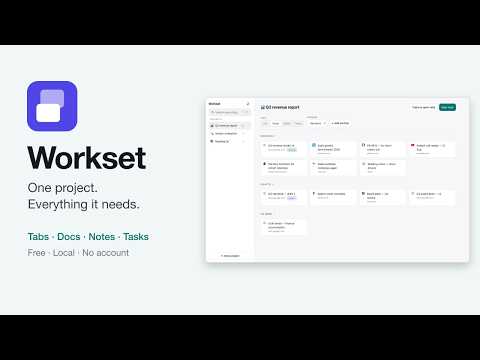
Everything for one piece of work — tabs, docs, notes — in one place.
Workset is a resource manager, not a tab manager. A project holds everything one job needs: the tabs you have open, the spreadsheet, the design file, the notes you wrote while reading them. Press Alt+S on any page to file it where you are working. Press Alt+Shift+S to file the whole window. Press Alt+N to write a note without leaving the page. On a Mac these are the same keys with Option: ⌥S, ⌥⇧S, ⌥N. WHAT IT DOES • Notes are markdown, they autosave, and typing @ links any tab, document or other note in the vault. Every note shows what links back to it. • Four views per project — list, cards, board and tasks — each remembered per project, with drag-and-drop ordering and sections. • Alt+K searches everything: titles, URLs, note text, annotations and tags. • Import your bookmarks: a folder becomes a project, and the folders inside it become sections. Your bookmarks are never modified. • Themes, accents, density and text size, with contrast checked against WCAG AA so a custom colour can never become unreadable. PRIVACY Everything stays in this browser. There is no account, no server, and no telemetry — Workset makes no network requests at all. Your data is yours to export as a plain JSON file whenever you want.
0 out of 5No ratings
Details
- Version1.1.0
- UpdatedSeptember 14, 2026
- Offered bypatelaman1653
- Size1.24MiB
- LanguagesEnglish
- Developer
Email
patelaman1653@gmail.com - Non-traderThis developer has not identified itself as a trader. For consumers in the European Union, please note that consumer rights do not apply to contracts between you and this developer.
Privacy

This developer declares that your data is
- Not being sold to third parties, outside of the approved use cases
- Not being used or transferred for purposes that are unrelated to the item's core functionality
- Not being used or transferred to determine creditworthiness or for lending purposes
Support
For help with questions, suggestions, or problems, visit the developer's support site