

WorkFlowy Plus

Tổng quan
Get most out of WorkFlowy
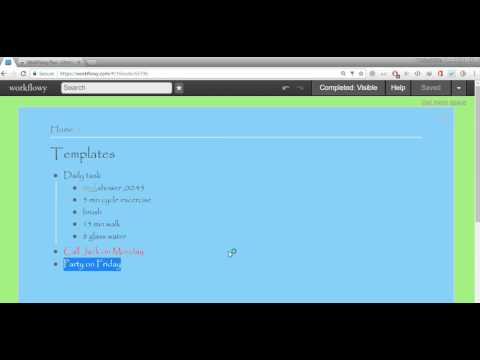
Workflowy Plus will bring some exciting features for your favorite Workflowy application. Feature 1: Reminders Feature 2: Day Highlighter Feature 3: Encrypt Decryption your workflow items Feature 4: Support multiple fonts for workflowy Feature 5: Ability to change background colors Feature 6: Day Highlighter Made Optional Feature 7: Added word count option in Right Click Context Menu Feature 8: Ability to change main Text Color Feature 9: Support for Inline Images this script credit goes to Original Developer https://gist.github.com/Wizmann/605ff2a609348b6ec3a3#file-workflowy-with-image-js Feature 10: Quick add button Feature 11:Workflowy date format age calculator Feature 12: Workflowy date formate Date Incrementor/Decrementor Update Log: Feature 3: Encrypt Decryption your workflow items Select and right click in menu click workflowy plus-> encrypt then press control+V To decyrpt select encrypted text right click in menu click workflowy plus-> encrypt then press control+V DISCAILMER: I am not responsible for any damage to your data in any way. This is an experimental feature use it at your own risk. Major Updates 1. Format is simplied @r,message,date time this will help you to see all reminders by clicking @r 2. Removed limitation of removing zero in minutes remember last note "If you are going to set reminder for 19:03 please write 19:3 starting zeros must be ommited for now" this is fixed now you can use 19:03 that is more natural 3. Take out time for your health Daily. Added feature of Daily Reminders @rd,Walk,21:44 no need to add date 4. Always Pay your monthly Bill on Time. Added feature of Monthly Reminders @rm,Credit Card Bill,15 21:44 no need to specify month and year 5. Never Miss Any Birhday or Aniversary. Added feature of Yearly Reminder @ry,Wasim Birthday,15-04 21:54 no need to specify year. IMPORTANT NOTE: AFTER INSTALLATION YOU HAVE TO REFRESH PAGE OF WORKFLOWY. IN ORDER TO GET THIS EXTENSION WORKING. PLEASE DO KEEP WORKFLOWY OPEN IN TAB OTHERWISE IT WILL NOT WORK AT ALL Feature 1: Reminders It is simple as workflowy please follow syntax properly otherwise reminders will not work. Modify your item Meeting with David to @r,Meeting With David,26-03-2017 22:25 Current Supported format only dd-mm-yyyy hh:mm Now if time will arrive you will see message box automatically. Known Limitations. Your workflow account must be logged in and open in some tab for code to run.It does not have to be currently open tab code will work on other tabs as well. Again I repeat,Please follow syntax otherwise you can miss you important reminders Feature 2: Day Highlighter You may have used color coding using some extension but those are static. I have create a Day Highlighter. This will automatically color selected day. Like if you have list for different days. You can focus on current day as it color will automatically turn Red. You can see screenshot for this. For more details please visit http://wasimdev.blogspot.com/ Updated to v3
4,2/54 lượt xếp hạng
Chi tiết
- Phiên bản1.3.0
- Đã cập nhật21 tháng 7, 2025
- Kích thước71.66KiB
- Ngôn ngữEnglish (United States)
- Nhà phát triểnTrang web
Email
wasimmalik88@gmail.com - Người bán phi thương mạiNhà phát triển này không tự nhận mình là người bán. Đối với người tiêu dùng ở Liên minh Châu Âu, xin lưu ý rằng các quyền của người tiêu dùng không được áp dụng trong hợp đồng giữa bạn và nhà phát triển này.
Quyền riêng tư

Nhà phát triển này tuyên bố rằng dữ liệu của bạn
- Không được bán cho bên thứ ba, ngoài những trường hợp sử dụng đã được phê duyệt
- Không được sử dụng hoặc chuyển nhượng cho các mục đích không liên quan đến chức năng chính của mặt hàng
- Không được sử dụng hoặc chuyển nhượng để xác định khả năng thanh toán nợ hoặc phục vụ mục đích cho vay
Hỗ trợ
Nếu bạn có câu hỏi, ý kiến đề xuất hoặc gặp vấn đề, vui lòng mở trang này bằng trình duyệt dành cho máy tính để được trợ giúp