


Overview
Capture an entire GoHighLevel workflow as one image — including the steps scrolled off screen. Not affiliated with HighLevel.
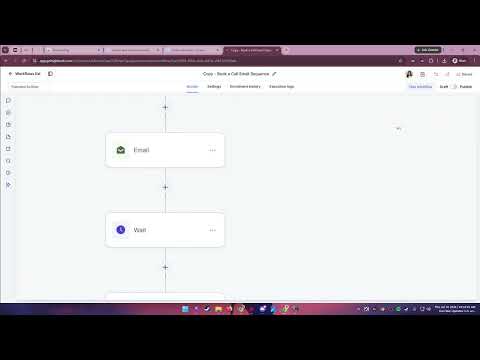
The GoHighLevel workflow builder draws your automation on a canvas you can pan and zoom. Ordinary full-page screenshot tools only capture what fits on screen, so documenting a long workflow means stitching print-screens together by hand. This extension captures the whole thing in one click. WHERE IT WORKS Only on the GoHighLevel workflow builder, including whitelabel/agency domains. It does not work with Zapier, Make, n8n, or any other automation tool. HOW IT WORKS 1. Open a workflow in the GoHighLevel builder. 2. Click the Workflow Screenshotter icon, then "Capture workflow". 3. A single image lands in your Downloads, named after the workflow. WHAT YOU GET • Every step, including the ones scrolled off screen • Readable text at any zoom level — the canvas is reset to 100% before capture • A clean image: the minimap and zoom controls are left out • PNG or JPEG, at normal, 2x, or 3x size PRIVACY • Nothing is collected, transmitted, or sold. There is no account and no analytics. • Capture happens entirely in your browser; the image goes straight to your Downloads. • Runs only on the workflow builder page — no other site is touched. OPEN SOURCE Read every line before you install it: https://github.com/Beeyach/workflow-screenshotter Free, with no paid tier. Not affiliated with, endorsed by, or sponsored by HighLevel, Inc. Compatible with the HighLevel™ workflow builder, including whitelabel domains. HighLevel is a trademark of HighLevel, Inc.
5 out of 51 rating
Details
- Version1.0.0
- UpdatedJuly 17, 2026
- Size32.72KiB
- LanguagesEnglish (United States)
- DeveloperAryanne Jade Menoro LombresWebsite
0282 Yakal St. Sto. Domingo 2nd Capas, Tarlac 2315 PHEmail
contact@bloomwired.ioPhone
+63 919 243 0351 - TraderThis developer has identified itself as a trader per the definition from the European Union and committed to only offer products or services that comply with EU laws.
Privacy

Workflow Screenshotter has disclosed the following information regarding the collection and usage of your data. More detailed information can be found in the developer's privacy policy.
Workflow Screenshotter handles the following:
This developer declares that your data is
- Not being sold to third parties, outside of the approved use cases
- Not being used or transferred for purposes that are unrelated to the item's core functionality
- Not being used or transferred to determine creditworthiness or for lending purposes