

Workcmd - Productivity Tools for Gmail & More

Overview
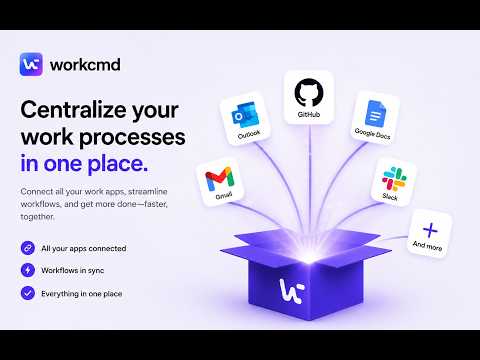
Add notes, templates, reminders, folders, alerts, meeting tracking, and shortcuts directly to your web collaboration workspaces.
Enhance your daily workspace with workcmd, the ultimate browser companion that injects contextual productivity tools directly into your web-based communication, document management, and collaboration platforms. Stop tab-switching and keep your focus where your work happens. workcmd integrates cleanly into the interfaces you already use, overlaying tabs, custom widgets, note docks, and command palettes to make your workflow friction-free. ★ CORE FEATURES: 1. CONTEXTUAL NOTES & NOTE DOCKS Create inline, persistent notes anchored to specific pages, emails, or chat threads. Use the slide-out note dock to keep track of reminders and feedback. 2. SNIPPETS & TEMPLATES Save your most frequent replies and templates. Insert them directly into composer windows with quick shortcuts. 3. WORKSPACE FOLDERS & LABELS Organize your tasks and links into custom folders. Access them via a floating folder dock at the edge of your screen. 4. MEETING TRACKING & SCREENSHOTS - Record meeting audio and video (tab capture and camera/mic) using MV3-compliant offscreen rendering. - Take quick screenshots, trim them, edit details, and save copies or organize them directly into workspaces. 5. SECURE VAULT Store highly sensitive snippets, links, or login details in an encrypted local vault. 6. COMMAND PALETTE Press Alt+Shift+S (or custom bindings) to trigger the workcmd Command Palette. Instantly search files, notes, folders, and launch tools without lifting your hands from the keyboard. 7. WORKPLACE ALERTS & REMINDERS Set custom sound alerts and reply tracking reminders to ensure you never miss critical emails or deadlines. 8. TEXT HIGHLIGHTS & SELECTION ACTIONS Highlight important text across platforms and trigger contextual actions on selected content for faster workflows. 9. BREAK GAMES Take productive breaks with built-in mini-games — recharge without leaving your workspace and also play with colleagues when on a break.
5 out of 52 ratings
Details
- Version1.3.7
- UpdatedOctober 2, 2026
- Size3.91MiB
- Languages5 languages
- DeveloperWebsite
Email
support@workcmd.com - Non-traderThis developer has not identified itself as a trader. For consumers in the European Union, please note that consumer rights do not apply to contracts between you and this developer.
Privacy

Workcmd - Productivity Tools for Gmail & More has disclosed the following information regarding the collection and usage of your data. More detailed information can be found in the developer's privacy policy.
Workcmd - Productivity Tools for Gmail & More handles the following:
This developer declares that your data is
- Not being sold to third parties, outside of the approved use cases
- Not being used or transferred for purposes that are unrelated to the item's core functionality
- Not being used or transferred to determine creditworthiness or for lending purposes