

Wordlight

Overview
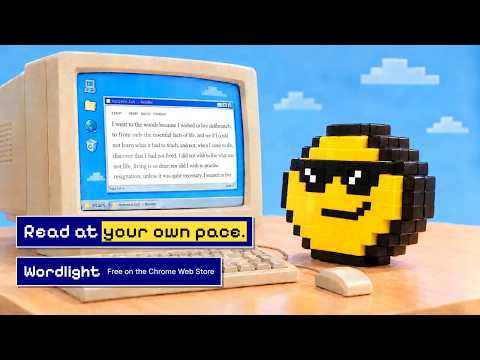
Turn on a highlight that sits on the word you're reading, and move it forward at your own pace.
Trying to read, but keep losing your place? Wordlight puts a highlighter on the word you're reading. Move your cursor along the line and the light follows you word by word, leaving a soft, fading trail behind it, so your eyes always know where you were and where to go next. Reading long articles, docs and essays feels calmer, and many people find they read faster. How it works • Click the Wordlight button on any page you want to read. Prefer the keyboard? Right-click the button and choose “Set a keyboard shortcut”. • Move your mouse along the text. The highlight follows the word under your cursor. • The trail fades out behind you and starts fresh at each new paragraph. Make it yours • Shape: choose a plain highlight, or one that points forward: an arrow tip, a corner bracket, a small cursor, or a caret. • Trail: set how many words it covers and how strong it is. • Colour: yellow, green, blue or pink. • Works on light and dark pages, with a stronger highlight where you need it. Keyboard shortcuts • Space: pause. The light stays put so you can click links, then resume. • ← →: step one word back or forward. • Shift + ← →: jump a sentence. • C: hide or show the cursor while you read. • Esc: turn Wordlight off. PDFs Browsers don't let extensions draw inside their built-in PDF viewer, so on a PDF the button opens it in the Wordlight reader instead. You can also open the reader from the toolbar button's right-click menu to paste text or open a file. Each reader tab starts fresh; close a document with the ✕ next to its title. Private by design Wordlight only runs on a page when you turn it on. It doesn't collect, store or send any of your data. Your settings stay in your browser. Made by Non Zero.
0 out of 5No ratings
Details
- Version0.2.1
- UpdatedOctober 22, 2026
- Offered byNon Zero
- Size395KiB
- LanguagesEnglish
- DeveloperNon Zero Design LLP
Non Zero Design LLP, We Work, Enam Sambhav, C - 20, G Block, BKC, Bandra East, Mumbai Mumbai, Maharashtra 400051 INEmail
hello@nonzero.spacePhone
+91 85916 14332 - TraderThis developer has identified itself as a trader per the definition from the European Union and committed to only offer products or services that comply with EU laws.
- D-U-N-S868350063
Privacy

This developer declares that your data is
- Not being sold to third parties, outside of the approved use cases
- Not being used or transferred for purposes that are unrelated to the item's core functionality
- Not being used or transferred to determine creditworthiness or for lending purposes