

Wordeep Proofreading

Descripción general
Wordeep Proofreading
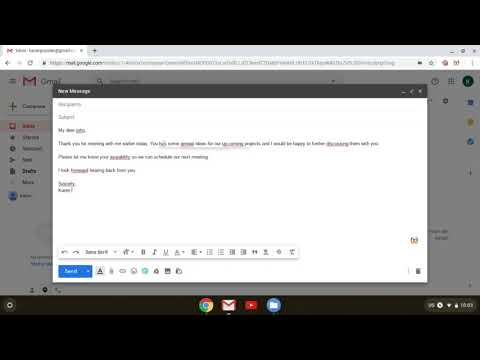
Automatic real-time English text correction, on any website. Wordeep will automatically correct your grammar and spelling mistakes. Use our grammar checker to improve your writing, find all the grammatical and spelling errors, and more. Wordeep is an artificial intelligence extension that helps you improve your writing, as you type on the computer. How to use: Simply install the extension and surf any website to see the magic happen. This is more than a spelling or punctuation correction: * You are welcome to compare it to tools like Grammarly, ProWritingAid, Ginger, Whitesmoke, and others. * It catches three times more errors than other tools. * All data is secured without human intervention. For any feedback or support, please write to us on our website. We love to get feedback. See our Google Docs extension as well: https://chrome.google.com/webstore/detail/nhedncoeppgaelddhokmikcaecmppgmh For all browsers support see here: https://wordeep.com/browsers Wordeep - Better Writing Through Artificial Intelligence - https://wordeep.com By installing this extension, you agree to our Terms and Conditions and Privacy Policy: https://wordeep.com/privacy-and-terms.
4,7 de 520 valoraciones
Detalles
- Versión2.0.103
- Actualizado13 de agosto de 2025
- Tamaño250KiB
- IdiomasEnglish
- DesarrolladorSitio web
Correo electrónico
info@wordeep.com - No operadorEste desarrollador no se ha identificado como operador. Los consumidores residentes en la Unión Europea deben tener en cuenta que los derechos de los consumidores no son aplicables a los contratos que suscriban con este desarrollador.
Privacidad

Este desarrollador declara que tus datos:
- No se venden a terceros, excepto en los casos de uso aprobados
- No se usan ni se transfieren para fines no relacionados con la función principal del elemento.
- No se usan ni se transfieren para determinar la situación crediticia ni para ofrecer préstamos.
Ayuda
Si tienes alguna pregunta, sugerencia o problema, abre esta página en tu navegador para ordenadores