


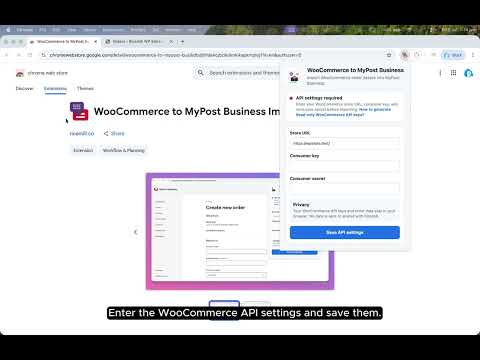
Overview
Import order from WooCommerce to MyPost Business with a single click.
Before you start: 1. Login into MyPost Business. 2. Make sure you have added a default "Send from" address via https://auspost.com.au/mypost-business/shipping-and-tracking/address-book/senders. How does it work? 1. Login into MyPost Business. 2. Once the page loaded, select the WooCommerce to MyPost Business extension button (purple and red icon) 3. Enter the WooCommerce Order ID and click "Import to MyPost Business". 4. Double check if information is filled correctly. 5. Choose a parcel service. 6. Click "Save Order" Terms of Service: This extension provides as free and, as such, we provide no warranty or guarantee of service or uptime. Disclaimer: All copyrights belong to their respective owners. WooCommerce and Australia Post don’t endorse or sponsor this Chrome Extension. This Chrome theme is not owned by, is not licensed by and is not a subsidiary of WooCommerce and Australia Post.
5 out of 51 rating
Details
- Version0.1.0
- UpdatedSeptember 4, 2026
- Size271KiB
- LanguagesEnglish (United Kingdom)
- DeveloperWebsite
Email
hello@ricemill.co - Non-traderThis developer has not identified itself as a trader. For consumers in the European Union, please note that consumer rights do not apply to contracts between you and this developer.
Privacy

This developer declares that your data is
- Not being sold to third parties, outside of the approved use cases
- Not being used or transferred for purposes that are unrelated to the item's core functionality
- Not being used or transferred to determine creditworthiness or for lending purposes
Support
For help with questions, suggestions, or problems, please open this page on your desktop browser