

WinTab
ExtensionFunctionality & UI4 users

Overview
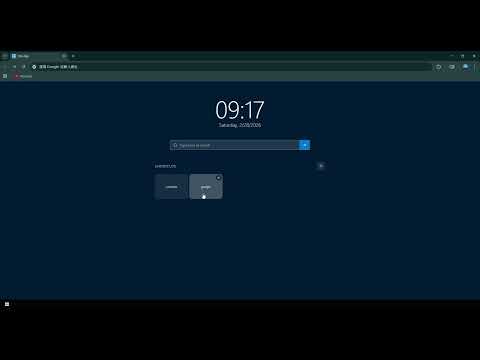
Windows 10 style new tab with clock, search, shortcuts and start menu
Turn your new tab into a Windows 10-style desktop. What you get: Real-time clock and date display Built-in Google search bar with direct URL support Customizable shortcut tiles — auto-filled from your most visited sites Start menu with quick access to Extensions, Settings, Downloads, History, and Bookmarks Windows 10 taskbar and toast notifications Why install WinTab: Instantly productive — search, navigate, and access browser tools from one page Zero setup — works right out of the box with smart defaults Fast and lightweight — no frameworks, no background processes 100% private — no data collection, no analytics, everything stored locally
0 out of 5No ratings
Details
- Version1.3.0
- UpdatedMarch 1, 2026
- Offered byDevelopKevin
- Size18.64KiB
- LanguagesEnglish
- Developer
Email
tyouxipindao@gmail.com - Non-traderThis developer has not identified itself as a trader. For consumers in the European Union, please note that consumer rights do not apply to contracts between you and this developer.
Privacy

Manage extensions and learn how they're being used in your organization
The developer has disclosed that it will not collect or use your data. To learn more, see the developer’s privacy policy.
This developer declares that your data is
- Not being sold to third parties, outside of the approved use cases
- Not being used or transferred for purposes that are unrelated to the item's core functionality
- Not being used or transferred to determine creditworthiness or for lending purposes