Item logo image for WingMarq: Guides That Find Your Team

WingMarq: Guides That Find Your Team

JR Data Solutions LTD
Item media 4 (screenshot) for WingMarq: Guides That Find Your Team
Item media 1 (screenshot) for WingMarq: Guides That Find Your Team
Item media 2 (screenshot) for WingMarq: Guides That Find Your Team
Item media 3 (screenshot) for WingMarq: Guides That Find Your Team
Item media 4 (screenshot) for WingMarq: Guides That Find Your Team
Item media 1 (screenshot) for WingMarq: Guides That Find Your Team
Item media 2 (screenshot) for WingMarq: Guides That Find Your Team
Item media 3 (screenshot) for WingMarq: Guides That Find Your Team
Item media 4 (screenshot) for WingMarq: Guides That Find Your Team

Overview

Shows your team the right guide at the right moment.

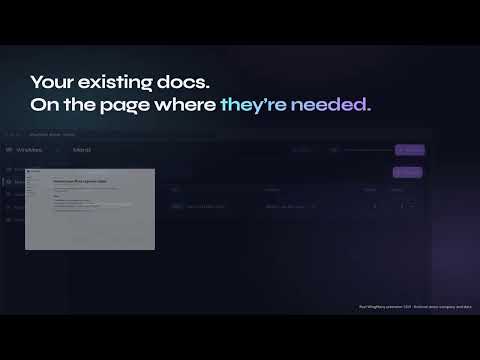
Show the right guide automatically when someone opens a tool. Link your existing docs to any page — when your team opens it, the guide appears. No searching, no asking. Works with the guides you already have — Scribe, SharePoint, Notion, or any URL. No rebuilding. No duplication. --- HOW IT WORKS 1. Choose a page (Power BI, SharePoint, or any internal tool) 2. Link your guides 3. They appear automatically when your team opens that page --- WHO IT’S FOR - Ops teams rolling out internal tools - Data teams with dashboards people don’t use properly - Teams managing SharePoint or internal systems --- KEY POINTS ✓ Shows the right guide on the right page — automatically ✓ Works with your existing documentation (no migration) ✓ Controlled by your team — not personal bookmarks ✓ Deployable via Chrome & Edge policies ✓ Minimal permissions — reads the page URL only --- SECURITY & DATA - Reads the page URL only - Does not access page content, inputs, or cookies - No integrations with internal systems - Can be deployed and removed via standard browser policies --- GETTING STARTED Create a workspace at app.wingmarq.com, then install the extension. Once configured, your team sees guides automatically.

Details

  • Version
    1.4.1
  • Updated
    May 24, 2026
  • Size
    349KiB
  • Languages
    English (United Kingdom)
  • Developer
    JR Data Solutions LTD
    86-90, Paul Street London EC2A 4NE GB
    Website
    Email
    james@jrdatasolutions.co.uk
    Phone
    +44 7787 410804
  • Trader
    This developer has identified itself as a trader per the definition from the European Union and committed to only offer products or services that comply with EU laws.
  • D-U-N-S
    234588054

Privacy

Manage extensions and learn how they're being used in your organization
The developer has disclosed that it will not collect or use your data. To learn more, see the developer’s privacy policy.

This developer declares that your data is

  • Not being sold to third parties, outside of the approved use cases
  • Not being used or transferred for purposes that are unrelated to the item's core functionality
  • Not being used or transferred to determine creditworthiness or for lending purposes

Support

For help with questions, suggestions, or problems, visit the developer's support site

Related

Instant Teams Meeting Link

5.0

Quickly generate and insert a Microsoft Teams meeting link via the right-click menu or popup.

Leafy - Annotate the web together

5.0

Leave comments on any webpage and collaborate with your team. Annotations, replies, @mentions, all anchored to the page.

Teams Always Available

4.1

Keeps you on Teams always Available

BookSlash — Team Shortcuts & Shared Bookmarks

0.0

Save links from any page and turn them into team shortcuts. b/ slugs that work right from your address bar.

Weekly Update - team status reports

3.7

Get status updates from your team each week

Glinks: Free go links for teams (go/ short links)

4.8

Free go links for teams. Create short, memorable links like go/roadmap and open them from your address bar in one keystroke.

FeatSmith — Feature Writing Co-Pilot

0.0

Draft & check your feature tickets against your team’s own writing rules — right in a side panel beside your issue tracker.

Teams Caffeine

5.0

Keep your Microsoft Teams active and prevent timeout or away status.

Wiggle Teams

4.1

Ensures your Microsoft Teams status stays active by simulating random user activity.

Stay Green On Teams

5.0

Set up Stay Green On Teams in seconds — captures your Microsoft Teams session and hands it off to the app.

Steppo | Автоматические пошаговые инструкции

3.0

Пошаговые инструкции по клику мыши. Экономит время для всей вашей команды.

AlwaysOn - Keep MS Teams Alive

0.0

Keep your Microsoft Teams status green/available even when the tab is not in focus

Instant Teams Meeting Link

5.0

Quickly generate and insert a Microsoft Teams meeting link via the right-click menu or popup.

Leafy - Annotate the web together

5.0

Leave comments on any webpage and collaborate with your team. Annotations, replies, @mentions, all anchored to the page.

Teams Always Available

4.1

Keeps you on Teams always Available

BookSlash — Team Shortcuts & Shared Bookmarks

0.0

Save links from any page and turn them into team shortcuts. b/ slugs that work right from your address bar.

Weekly Update - team status reports

3.7

Get status updates from your team each week

Glinks: Free go links for teams (go/ short links)

4.8

Free go links for teams. Create short, memorable links like go/roadmap and open them from your address bar in one keystroke.

FeatSmith — Feature Writing Co-Pilot

0.0

Draft & check your feature tickets against your team’s own writing rules — right in a side panel beside your issue tracker.

Teams Caffeine

5.0

Keep your Microsoft Teams active and prevent timeout or away status.

Google apps
