


Overview
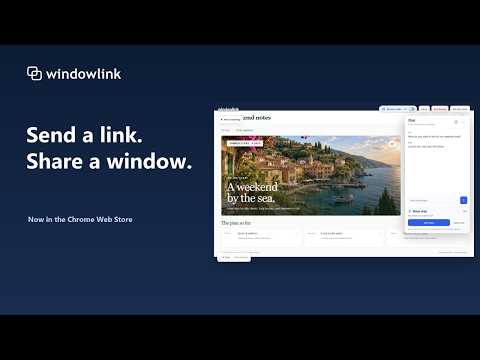
Share a window with a link. Approve guests, chat, and draw together. Pro adds group sharing, voice chat, and files.
Send a link. Share a window - Screen sharing made simple. Windowlink shares a tab, window, or screen with people you approve. Open the extension, choose a view in Chrome’s picker, and send your private invitation link. Guests join in their browser without installing the extension. Stay in control • Approve or decline each guest before they see your screen. • See join requests immediately, with a short sound notification. • Pause, resume, or end sharing, including from full screen. • Remove a guest or close the session to revoke access. Work together • Send messages in session chat. • Draw over the shared view to point things out. • Move or minimize chat in full screen. • Share browser audio when Chrome makes it available. Each viewer can mute it independently. Free • One guest per session. • 15 minutes of sharing, starting when the first guest is approved. • Chat and shared drawings included. Windowlink Pro • Longer screen-sharing sessions. • Up to five guests using the same invitation link, each individually approved. • Optional voice chat, listen-only mode, mute, and push to talk. • Send files up to 25 MB to an approved participant. The recipient accepts before the transfer starts. Pro costs $4.99 USD/month or $29.94 USD/year, tax-inclusive. Annual billing saves 50% compared with twelve monthly payments. Subscriptions renew until cancelled and are managed through Stripe. Uninstalling the extension does not cancel a subscription. Your sharing choices Windowlink transmits the view and audio you select, session chat and drawings, and files you choose to send to approved participants. WebRTC encrypts media and data in transit, connecting directly when possible and using a relay when necessary. Windowlink does not make server-side recordings or store session chat, drawings, or file copies. Participants can still record their own screens or save received files. Use desktop Chrome to host and keep the sharing tab open. Audio availability depends on Chrome, your operating system, and the selected capture source. Network/firewall restrictions and service capacity can affect connections. No remote control or built-in recording is provided. Privacy: https://windowlink.online/privacy.html Help: https://windowlink.online/support.html Support: hello@kevindemara.com
0 out of 5No ratings
Details
- Version1.0.3
- UpdatedNovember 22, 2026
- FeaturesOffers in-app purchases
- Size49.68KiB
- LanguagesEnglish (United States)
- DeveloperKevin James De MaraWebsite
548 Cherryhill St Oshawa, ON L1H 7R9 CAEmail
kevin@eventidestudios.comPhone
+1 289-600-9229 - TraderThis developer has identified itself as a trader per the definition from the European Union and committed to only offer products or services that comply with EU laws.
Privacy

Windowlink has disclosed the following information regarding the collection and usage of your data. More detailed information can be found in the developer's privacy policy.
Windowlink handles the following:
This developer declares that your data is
- Not being sold to third parties, outside of the approved use cases
- Not being used or transferred for purposes that are unrelated to the item's core functionality
- Not being used or transferred to determine creditworthiness or for lending purposes
Support
For help with questions, suggestions, or problems, visit the developer's support site