

Windowed Fullscreen - YouTube & All Videos

Overview
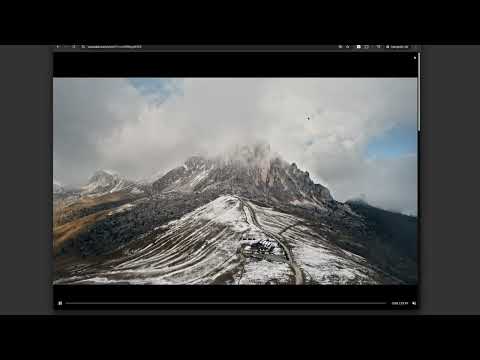
Watch YouTube, Twitch & any video fullscreen in your browser tab. Theater mode without hiding taskbar. Press F to toggle.
WATCH VIDEOS IN WINDOWED FULLSCREEN Expand any video to fill your browser tab without going into native fullscreen. Keep your taskbar visible, switch tabs easily, and enjoy a distraction-free viewing experience. KEY FEATURES • Tab Fullscreen Mode — Video fills your browser tab, not your entire screen • Universal Compatibility — Works on popular video platforms like youtube, twitch and any site with HTML5 video • Simple Toggle — Press 'F' to activate, press again or ESC to exit • Custom Site Support — Add selectors for sites with unique video players • Lightweight — No bloat, no tracking, works offline KEYBOARD SHORTCUTS • F — Toggle windowed fullscreen • ESC — Exit fullscreen • SPACE — Play/Pause PERFECT FOR • Multi-monitor setups where native fullscreen interrupts your workflow • Watching content while keeping other windows accessible • Users who prefer windowed viewing over full desktop takeover PRIVACY This extension operates entirely locally. No data is collected, stored, or transmitted. Your viewing habits remain private. HOW TO USE 1. Go to any page with a video 2. Press 'F' on your keyboard 3. The video expands to fill your tab 4. Press 'F' or ESC to return to normal view WHAT'S NEW IN v1.3 • Improved video detection for modern web players • Custom progress bar with seeking support • Better audio synchronization • Support for videos in shadow DOM elements Questions? Contact support@korchix.com
5 out of 52 ratings
Details
- Version1.3
- UpdatedDecember 10, 2025
- Size26.07KiB
- LanguagesEnglish
- DeveloperWebsite
Email
support@korchix.com - Non-traderThis developer has not identified itself as a trader. For consumers in the European Union, please note that consumer rights do not apply to contracts between you and this developer.
Privacy
This developer declares that your data is
- Not being sold to third parties, outside of the approved use cases
- Not being used or transferred for purposes that are unrelated to the item's core functionality
- Not being used or transferred to determine creditworthiness or for lending purposes
Support
For help with questions, suggestions, or problems, visit the developer's support site