


개요
Track Twitter/X follows and unfollows. Capture snapshots, compare changes, and learn which audiences engage back.
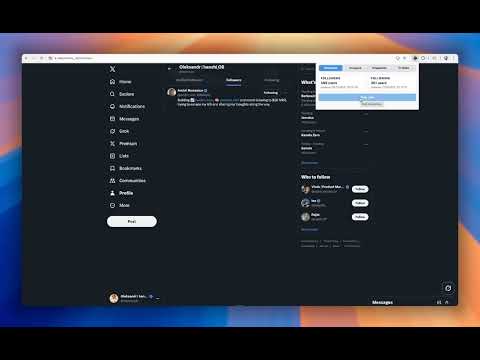
Unfollr - Who Unfollowed Me Tracker — Free X/Twitter Follower Analytics - Monitor every follow/unfollow event on X (formerly Twitter) with automatic scans that capture your followers or following lists directly from the tab you have open. - Build unlimited local “snapshots” of your audience, compare any two to spot new followers, unfollows, and churn trends with or without historical smoothing. - Explore a rich Profiles view: filter by status or mutual relationship, search by handle or display name, open detail rows for time-stamped status/relation history, and quickly delete stale records (handy when a contact changes their username). - Stay organized with an activity timeline that highlights counts, last update times, and the exact users you gained or lost between snapshots. - All processing happens client-side: data is stored in your browser (IndexedDB via Dexie). Nothing leaves your computer, no login is required, and the extension is completely free. Key Features - One-click scans from any followers/following tab on X. - Snapshot history with difference reports (added/removed lists). - Profiles dashboard with filters, search, sortable lists, and expandable history. - Manual profile deletion to keep records clean after renames or test scans. - Load-more pagination for large audiences and bulk multi-select actions. - Status messaging, analytics event tracking, and optional “use history” comparison mode for nuanced insights. - Dark/light theme awareness for a polished popup experience. Getting Started 1. Install the free extension and pin it to your toolbar. 2. Open an X followers or following tab. 3. Click “Scan now” to save a snapshot of the current list. 4. Use the Overview, Compare, Snapshots, and Profiles tabs to explore every change over time, keep your database tidy, and understand who engages back. Why Users Love It - Zero cost, zero cloud dependencies, no access to your private data. - Clear insights into who leaves or joins your community—ideal for creators, brands, and social media managers. - Fast, Vite-powered UI built with TypeScript, so interactions feel instant even on large follower lists. - Built-in housekeeping tools (bulk delete, filtered loads) so you always trust the dataset powering your decisions. Level up your X/Twitter strategy today with Who Unfollowed Me Tracker—100% free, privacy-first follower analytics.
5점 만점에 0점평점 없음
세부정보
개인정보 보호

Unfollr - Who Unfollowed Me Tracker에서 데이터 수집 및 사용과 관련하여 다음 정보를 공개했습니다. 더 자세한 정보는 개발자의 privacy policy을 참고하세요.
Unfollr - Who Unfollowed Me Tracker 항목은 다음을 처리합니다.
개발자가 사용자 데이터에 관해 다음과 같이 선언했습니다
- 승인된 사용 사례를 제외하고 서드 파티에 판매하지 않음
- 항목의 핵심 기능과 관련 없는 목적으로 사용하거나 전송하지 않음
- 신용도 판단 또는 대출 목적으로 사용하거나 전송하지 않음
지원
질문, 제안 또는 문제와 관련하여 도움이 필요하면 데스크톱 브라우저에서 이 페이지를 여세요.