

Whisperian — Read Aloud
1 rating
)
Overview
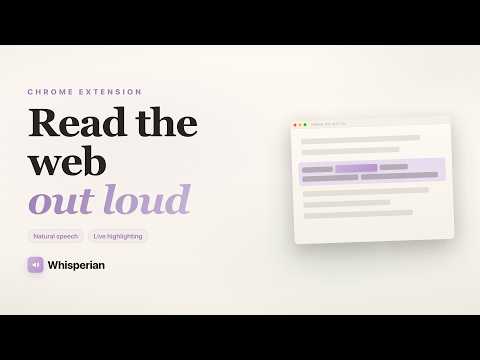
Read any web page aloud with live word-level highlighting and click-to-skip, powered by the Vaani TTS API.
Whisperian turns any web page into audio you can actually follow. Press Alt+R or click the toolbar icon, and the page starts reading aloud while every word lights up in place, so you never lose your spot. WHAT IT DOES • Reads any web page aloud - articles, documentation, blogs, long-form research • Live word-level highlighting that tracks the voice in real time • Click any paragraph to jump straight there mid-reading • Read a selection: highlight text, right-click, "Read selection aloud" • Read PDFs: open a PDF and choose "Read a PDF" from the popup • Natural voices powered by the Vaani TTS API. Each voice reads any language, so it works on every page • Adjustable speed: set a default, then change it on the fly from the on-page control bar • Pause, resume, skip forward or back a block, or stop entirely KEYBOARD SHORTCUTS Alt+R - read the page or your selection, and play/pause Alt+S - stop reading Alt+Period - skip to the next block Alt+Comma - go back to the previous block All shortcuts can be remapped from the setup page. WHO IT IS FOR • Anyone with a long reading queue who would rather listen while doing something else • Readers with dyslexia, ADHD, low vision or eye strain, who follow along better with audio plus visual tracking • People reading in a second language, where hearing the words aids comprehension • Students and researchers working through papers and PDFs • Writers proofreading their own drafts by ear FREE, NO ACCOUNT NEEDED Whisperian is free. There is no sign-up, no API key to paste, and no paywall. Install it and it works immediately. PRIVACY AND PERMISSIONS Whisperian requests only what it needs. It reads the content of the page you explicitly choose to read, and connects to a single endpoint (vaani.akl773.com) to generate speech. Page text is sent there for the sole purpose of turning it into audio. Nothing is sold to third parties and nothing is used for any purpose outside reading pages aloud. Built on Manifest V3. GETTING STARTED Pin Whisperian from Chrome's puzzle-piece menu, open any article, and press Alt+R.
5 out of 51 rating
Details
- Version1.3.0
- UpdatedAugust 19, 2026
- Offered byCortex Labs
- Size691KiB
- LanguagesEnglish
- Developer
Email
contact@akhilsingh.in - Non-traderThis developer has not identified itself as a trader. For consumers in the European Union, please note that consumer rights do not apply to contracts between you and this developer.
Privacy

Whisperian — Read Aloud has disclosed the following information regarding the collection and usage of your data. More detailed information can be found in the developer's privacy policy.
Whisperian — Read Aloud handles the following:
This developer declares that your data is
- Not being sold to third parties, outside of the approved use cases
- Not being used or transferred for purposes that are unrelated to the item's core functionality
- Not being used or transferred to determine creditworthiness or for lending purposes
Support
For help with questions, suggestions, or problems, visit the developer's support site