

Whisper to ChatGPT
53 個評分
)
總覽
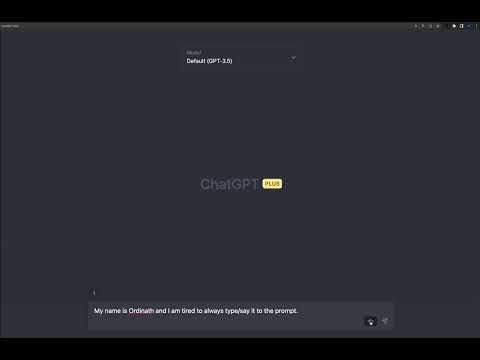
Prompt with your voice to ChatGPT in your Chrome browser using Whisper API with a button click.
# 🎙️ Voice-to-Text ChatGPT: Transcribe with Whisper API 🚀 Elevate your ChatGPT experience with Voice-to-Text ChatGPT extension! Seamlessly record your voice and transcribe it using OpenAI's Whisper API - all within your Chrome browser. Just click, record, and transcribe! 🎉 This extension is now a React application and open-source! 🎉 Check out the repository on GitHub: https://github.com/Ordinath/Whisper_to_ChatGPT ## ✨ Features - 🎤 Record your voice and transcribe it using the powerful Whisper API - ⚡ Configurable shortcut button to quickly activate the microphone - 🌐 Use the extension with main inputs on chat.openai.com and edit-inputs - 🔧 Customize the prompt for better API voice recognition results - 👁️ Clean and user-friendly interface with an eye-catching mic button - 🔄 Support for multiple Whisper API prompts for versatile transcription contexts - 🌍 Implicit translation support for transcribing and translating your input - 💾 Download your transcriptions as sound files for further use - 📌 Snippets feature (in beta) for quickly pasting frequently used text in the ChatGPT text area ## 🔧 How to Run Locally To run the extension locally in your Chrome browser, follow these steps: 1. Clone or download the repository from GitHub: https://github.com/Ordinath/Whisper_to_ChatGPT 2. Install the dependencies by running npm install in the project folder 3. Run npm run build to build the app for production to the build folder 4. Open Google Chrome and navigate to chrome://extensions 5. Enable "Developer mode" by toggling the switch in the top-right corner 6. Click on "Load unpacked" button and select the build folder created in step 3 7. The extension should now appear in your list of installed extensions Now you can use Voice-to-Text ChatGPT extension without downloading it from the Chrome Web Store! ## 🔑 API Key Disclaimer This extension requires an OpenAI account with a valid API key to function properly. OpenAI provides a small amount of free credits for all accounts, which is more than enough to use the Whisper API in ChatGPT and enjoy the extension's features. ## 📣 Feedback and Contributions We're dedicated to improving this extension and have exciting plans for its future! Give it a try, and share your thoughts - we're always open to feedback and suggestions. Feel free to open issues, submit pull requests, or just reach out with any ideas you have. 😄 Happy recording! ## 🛠️ Development This project was bootstrapped with [Create React App](https://github.com/facebook/create-react-app). # Available Scripts 1. `npm start` : Runs the app in development mode, open http://localhost:3000 to view it in your browser 2. `npm run build` : Builds the app for production to the build folder For more information, refer to the [Create React App documentation](https://create-react-app.dev/docs/getting-started/) and [React documentation](https://facebook.github.io/create-react-app/docs/getting-started).
3.6 分 (滿分 5 分)53 個評分
詳細資料
- 版本1.2.29
- 已更新2025年9月26日
- 提供者Ordinath
- 大小585KiB
- 語言English
- 開發人員
電子郵件
ordinath@proton.me - 非交易商這位開發人員並未表明自己是交易商。歐盟地區的消費者請注意,消費者權利不適用於你和這位開發人員之間簽訂的合約。
隱私權

這位開發者就你的資料做出下列聲明:
- 除經核准的用途外,不會將你的資料販售給第三方
- 不會基於與商品核心功能無關的目的,使用或轉移資料
- 不會為了確認信用度或基於貸款目的,使用或轉移資料