

Whisper to ChatGPT
54 lượt xếp hạng
)
Tổng quan
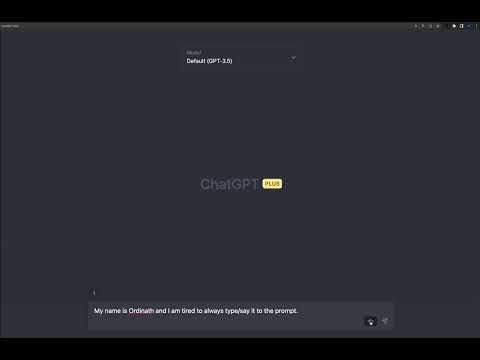
Prompt with your voice to ChatGPT in your Chrome browser using Whisper API with a button click.
# 🎙️ Voice-to-Text ChatGPT: Transcribe with Whisper API 🚀 Elevate your ChatGPT experience with Voice-to-Text ChatGPT extension! Seamlessly record your voice and transcribe it using OpenAI's Whisper API - all within your Chrome browser. Just click, record, and transcribe! 🎉 This extension is now a React application and open-source! 🎉 Check out the repository on GitHub: https://github.com/Ordinath/Whisper_to_ChatGPT ## ✨ Features - 🎤 Record your voice and transcribe it using the powerful Whisper API - ⚡ Configurable shortcut button to quickly activate the microphone - 🌐 Use the extension with main inputs on chat.openai.com and edit-inputs - 🔧 Customize the prompt for better API voice recognition results - 👁️ Clean and user-friendly interface with an eye-catching mic button - 🔄 Support for multiple Whisper API prompts for versatile transcription contexts - 🌍 Implicit translation support for transcribing and translating your input - 💾 Download your transcriptions as sound files for further use - 📌 Snippets feature (in beta) for quickly pasting frequently used text in the ChatGPT text area ## 🔧 How to Run Locally To run the extension locally in your Chrome browser, follow these steps: 1. Clone or download the repository from GitHub: https://github.com/Ordinath/Whisper_to_ChatGPT 2. Install the dependencies by running npm install in the project folder 3. Run npm run build to build the app for production to the build folder 4. Open Google Chrome and navigate to chrome://extensions 5. Enable "Developer mode" by toggling the switch in the top-right corner 6. Click on "Load unpacked" button and select the build folder created in step 3 7. The extension should now appear in your list of installed extensions Now you can use Voice-to-Text ChatGPT extension without downloading it from the Chrome Web Store! ## 🔑 API Key Disclaimer This extension requires an OpenAI account with a valid API key to function properly. OpenAI provides a small amount of free credits for all accounts, which is more than enough to use the Whisper API in ChatGPT and enjoy the extension's features. ## 📣 Feedback and Contributions We're dedicated to improving this extension and have exciting plans for its future! Give it a try, and share your thoughts - we're always open to feedback and suggestions. Feel free to open issues, submit pull requests, or just reach out with any ideas you have. 😄 Happy recording! ## 🛠️ Development This project was bootstrapped with [Create React App](https://github.com/facebook/create-react-app). # Available Scripts 1. `npm start` : Runs the app in development mode, open http://localhost:3000 to view it in your browser 2. `npm run build` : Builds the app for production to the build folder For more information, refer to the [Create React App documentation](https://create-react-app.dev/docs/getting-started/) and [React documentation](https://facebook.github.io/create-react-app/docs/getting-started).
3,6/554 lượt xếp hạng
Chi tiết
- Phiên bản1.2.29
- Đã cập nhật26 tháng 9, 2025
- Nhà cung cấpOrdinath
- Kích thước585KiB
- Ngôn ngữEnglish
- Nhà phát triển
Email
ordinath@proton.me - Người bán phi thương mạiNhà phát triển này không tự nhận mình là người bán. Đối với người tiêu dùng ở Liên minh Châu Âu, xin lưu ý rằng các quyền của người tiêu dùng không được áp dụng trong hợp đồng giữa bạn và nhà phát triển này.
Quyền riêng tư

Nhà phát triển này tuyên bố rằng dữ liệu của bạn
- Không được bán cho bên thứ ba, ngoài những trường hợp sử dụng đã được phê duyệt
- Không được sử dụng hoặc chuyển nhượng cho các mục đích không liên quan đến chức năng chính của mặt hàng
- Không được sử dụng hoặc chuyển nhượng để xác định khả năng thanh toán nợ hoặc phục vụ mục đích cho vay