

Whisgram: AI Video Notes & Diagrams
1 rating
)
Overview
Turn any video into AI study notes, a Mermaid diagram, and a clean transcript. Free tier, no subscription.
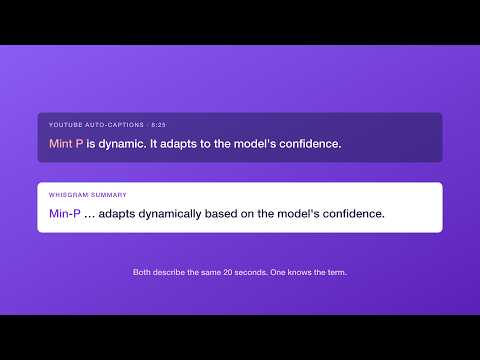
Turn any video into study notes you'll actually use. Whisgram transcribes a video and turns it into a clean, structured set of notes - and the tools to actually study it. Paste a video link (1,000+ sites supported) and you get the key takeaways, a Mermaid diagram of how the ideas connect, a Markdown summary, and the full transcript. Two ways to transcribe: • Fast mode - our GPU does the work in about a minute, at the best quality. 1 credit per video. • Free mode - $0. Transcribes right in your browser instead of on our servers. Slower, since it runs on your own machine, but completely free - and with a local file, your audio never leaves your device. On YouTube it's one click: a "Transcribe with Whisgram" button appears right on the video page. Click a timestamp in your notes or transcript and the video jumps straight to that moment. What you get from each video: • Key takeaways - the core points as a scannable list, each linked to the moment it's said • A Mermaid diagram - a real, editable flowchart of the concepts and how they relate, not a generic mindmap (export as PNG or SVG) • A Markdown summary - ready to paste into Obsidian, Notion, or any notes app • A timestamped transcript - click any line to jump the video to that exact moment • Flashcards - auto-generated question-and-answer cards, exportable to Anki. Free, no credit. • Ask the video - a chat grounded in the transcript for quick follow-ups. Free, no credit. Your whole library in one place: • Every video you transcribe is saved, searchable, and synced across your devices. Open one you've already done and Whisgram shows your saved notes instead of charging you again. • Ask across your whole library - one question, answered from every video you've saved, not just the one you're looking at. • Share any note as a public web page - a clean link anyone can open, with no install and no account. Why Whisgram is different: Most summarizers just scrape a page's auto-captions, which break on accents, technical terms, math, or low-quality audio. Whisgram transcribes the actual audio with Whisper - on a GPU in Fast mode, or right in your browser in Free mode - so your notes are built on an accurate transcript. And instead of a random tree-shaped mindmap, it produces a true Mermaid diagram - the same notation engineers and students use in their own docs - which renders natively in Obsidian. Accounts and pricing: • Sign in with Google or an email link. • Free mode is always $0 - transcribe in your browser with no credit, subject to a fair-use daily limit. Flashcards and chat are free too. • Fast mode uses credits. New accounts get a few free to try it out, then buy credits when you need them - pay per video, no subscription, and credits never expire. Privacy: • In Free mode, transcription runs in your browser: drop in a local file and the audio never leaves your device. Pasting a link fetches the audio through our server to hand to your browser - it isn't stored. • In Fast mode, your audio is transcribed on our GPU and deleted as soon as the job finishes. • Either way, only the transcript is saved - along with your email (for your account) and credit balance - so your history syncs across your devices. • No ads, no trackers, no analytics. We never sell your data. • Full policy: https://whisgram.nvnv.app/privacy.html Built on open source: Whisgram is the polished extension on top of an open-source Rust transcription engine: https://github.com/nhatvu148/video-transcriber-mcp-rs Good to know: • Optimized for English. Other languages work, but quality varies. • Free mode handles videos up to 60 minutes, and runs on your own device's CPU - a long video can take several minutes. For long videos, Fast mode is the better pick. • Live streams aren't supported. Questions or feedback: nhatvu148@gmail.com
5 out of 51 rating
Details
- Version1.8.0
- UpdatedSeptember 21, 2026
- Size1017KiB
- LanguagesEnglish (United States)
- Developer
Email
nhatvu148@gmail.com - Non-traderThis developer has not identified itself as a trader. For consumers in the European Union, please note that consumer rights do not apply to contracts between you and this developer.
Privacy

Whisgram: AI Video Notes & Diagrams has disclosed the following information regarding the collection and usage of your data. More detailed information can be found in the developer's privacy policy.
Whisgram: AI Video Notes & Diagrams handles the following:
This developer declares that your data is
- Not being sold to third parties, outside of the approved use cases
- Not being used or transferred for purposes that are unrelated to the item's core functionality
- Not being used or transferred to determine creditworthiness or for lending purposes
Support
For help with questions, suggestions, or problems, visit the developer's support site