


概述
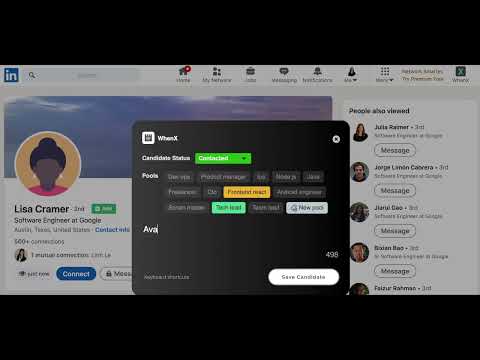
Take notes on Linkedin profiles and synchronize them with Google Search results. Organize your Sourcing!
WhenX helps you to find previously visited links in your Google™ search results by adding a tag with your last visit time next to the link! No need to go searching through your history or open up countless links in search of the correct one. Hovering over the tag will give you a more detailed stamp with specifics of the date and time of your last visit. It helps you re-find webpages you visited before and gives you a time context about when you searched for certain topics. FEATURES 🔍 Re-find websites Instead of bookmarking every page you might need in the future, timestamps help you identify webpages you have seen before, when you search for them. 🚫 Avoid irrelevant links A timestamp with a recent date like 'yesterday' or '8 hours ago' helps you avoid opening pages you recently explored, hence saves time reopening them. ⏮️ Retrospective Timestamps appear for links visited before installation. 🔒 Keeps your privacy WhenX uses your local browser history, locally. Your history is not sent to any server and doesn't leave your local machine. RATE US ⭐⭐⭐⭐⭐ Genuinely enjoying WhenX? Helped you save time at work? Support WhenX by giving us a great review on Chrome Store! We are keen on your feedback! Feel free to leave your feedback or feature requests in a support ticket or tweet @whenxtension
4.4 星(5 星制)186 个评分
详情
隐私权

“WhenX: Mark Linkedin Profiles with notes”已就收集和使用用户数据披露了以下信息。 如需了解详情,请查看开发者的privacy policy。
WhenX: Mark Linkedin Profiles with notes会处理以下数据:
该开发者已声明,您的数据:
- 不会因未获批准的用途出售给第三方
- 不会为实现与产品核心功能无关的目的而使用或转移
- 不会为确定信用度或放贷目的而使用或转移
支持
若有任何疑问、建议或问题,请在桌面浏览器中打开此页面