

WhatsDesk – Audio, Video & Screen Recorder for Gmail
4 ratings
)
Overview
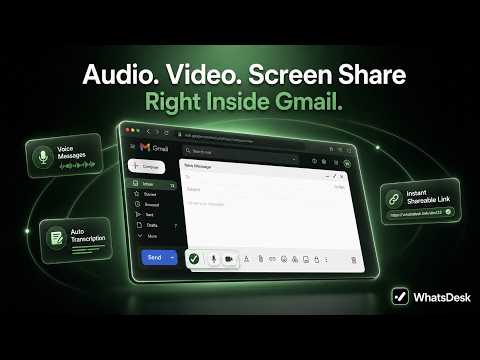
Record audio, video, or screen in Gmail and share instantly with a shareable link and auto-transcription.
Stop typing endless emails. Send instant voice notes, webcam videos, or screen walkthroughs directly from your Gmail compose toolbar. 🚀 Instant 2-Step Setup: 1) Click Add to Chrome. 2) Open Gmail & complete the 1-Click Google Sign-In to activate your secure recording dashboard. 🌟 Why WhatsDesk? 🎤 Audio & Video Toolbar — Record voice notes, your screen, or your webcam right inside Gmail. 📝 Auto-Transcription — Text transcripts drop straight into your email body automatically. 🔗 Zero Attachments — Media uploads instantly to your dashboard. No huge files to upload. 👥 100% Frictionless for Recipients — Your recipients don't need the extension or an account to watch, listen, or read the transcript. 🔒 Privacy & Security First Your 1-click login securely creates your private video hosting dashboard. WhatsDesk never reads, stores, or accesses your emails. Stop typing, start recording. Install now and send your first video note in 60 seconds!
5 out of 54 ratings
Details
- Version1.0.0
- UpdatedJune 17, 2026
- FeaturesOffers in-app purchases
- Offered byWhatsDesk
- Size81.85KiB
- LanguagesEnglish
- DeveloperChirivirala Satyanarayana
Chitrakut Dham, Byrasandra Main Road 310 Bengaluru, Karnataka 560093 INEmail
connect@whatsdesk.comPhone
+91 83740 61411 - TraderThis developer has identified itself as a trader per the definition from the European Union and committed to only offer products or services that comply with EU laws.
Privacy

WhatsDesk – Audio, Video & Screen Recorder for Gmail has disclosed the following information regarding the collection and usage of your data. More detailed information can be found in the developer's privacy policy.
WhatsDesk – Audio, Video & Screen Recorder for Gmail handles the following:
This developer declares that your data is
- Not being sold to third parties, outside of the approved use cases
- Not being used or transferred for purposes that are unrelated to the item's core functionality
- Not being used or transferred to determine creditworthiness or for lending purposes
Support
For help with questions, suggestions, or problems, please open this page on your desktop browser