


Overview
Batch silently join WhatsApp groups on WhatsApp Web with customizable time intervals to prevent automation detection.
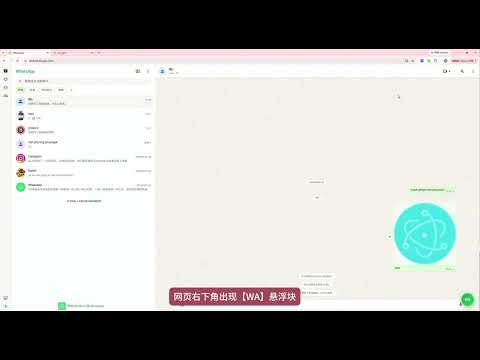
Features 1. Batch Join: Import multiple group invite links at once for automatic batch joining 2. Silent Join: Join groups without admin confirmation 3. Anti-Detection: - Customizable time intervals (2-200 seconds) - Random delays to simulate human behavior - Effectively reduces risk of WhatsApp detection 4. Operation Logs: Real-time display of progress and results 5. Local Processing: All data processed locally, never uploaded to any server How to Use 1. Install the extension, click the extension icon to open WhatsApp Web 2. Log in to your WhatsApp account 3. Click the "WA" button in the bottom right corner to open the control panel 4. Enter or import group invite links (one per line) 5. Set the time interval range (min and max) 6. Click "Start" to execute batch join System Requirements - Chrome 88+ or Chromium-based browser - WhatsApp Desktop app or mobile WhatsApp (for QR code login)
5 out of 51 rating
Details
- Version1.2.3
- UpdatedAugust 13, 2026
- Size63.26KiB
- Languages5 languages
- DeveloperWebsite
Email
liumengniu741@gmail.com - Non-traderThis developer has not identified itself as a trader. For consumers in the European Union, please note that consumer rights do not apply to contracts between you and this developer.
Privacy

This developer declares that your data is
- Not being sold to third parties, outside of the approved use cases
- Not being used or transferred for purposes that are unrelated to the item's core functionality
- Not being used or transferred to determine creditworthiness or for lending purposes
Support
For help with questions, suggestions, or problems, visit the developer's support site