

WhatsApp Web Super Pinner & Privacy Suite
1 rating
)
Overview
Super Pin unlimited chats, organize with folders, and protect privacy with adjustable blurring on WhatsApp Web.
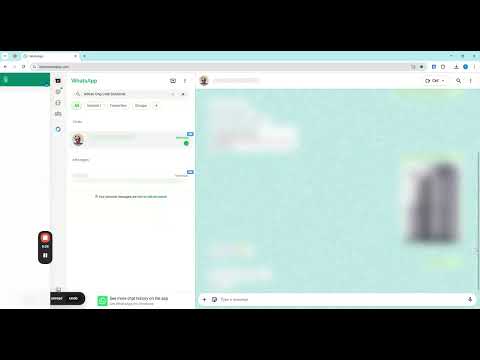
# WhatsApp Web Super Pinner & Privacy Suite Take control of your WhatsApp Web experience with the ultimate productivity and privacy tool. Super Pin unlimited chats, stay organized with synced profile images, and protect your privacy with intelligent, one-click blurring. ### 🚀 Key Features * **Super Pinned Sidebar**: Bypass WhatsApp's native pin limit! Add an unlimited number of chats to your personal quick-access sidebar. * **Sync Profile Images**: Stay visually organized. Your pinned contacts include their real-time profile pictures for easy recognition. * **One-Click Fast Navigation**: Instantly jump into any pinned conversation with a single click. No more scrolling through hundreds of chats. * **Collapsible Design**: Keep your workspace clean. Collapse the sidebar to a slim icons-only mode or expand it for the full contact list. ### 🔒 Privacy-Focused Tools * **Blur Contact List**: Instantly hide names, message snippets, and timestamps from your sidebar. Hover to reveal what you need. * **Blur Main Chat**: Keep your active conversation safe from prying eyes. Protect your chat content with a professional blur layer. * **Selective Protection**: Important icons and buttons remain visible so you can still navigate while staying private. ### 🛠️ How to Use 1. Open **web.whatsapp.com**. 2. Notice the "Super Pinned" sidebar on the far left. 3. Hover over any chat in your main list and click the **PIN** button. 4. Switch privacy modes using the "Blur List" and "Blur Chat" buttons. 5. Click any contact in the sidebar to open that chat instantly. ### 📝 Privacy & Security This extension is built with privacy at its core. Your pins and settings are stored locally in your browser. We **never** collect, track, or transmit your messages or personal data. --- *Developed for professionals, privacy-conscious users, and power-users of WhatsApp Web.*
5 out of 51 rating
Details
- Version1.0.1
- UpdatedApril 10, 2026
- Offered bytanhuatkee
- Size30.33KiB
- LanguagesEnglish
- DeveloperTan Huat Kee
Email
tanhuatkee@gmail.comPhone
+65 9451 1141 - TraderThis developer has identified itself as a trader per the definition from the European Union and committed to only offer products or services that comply with EU laws.
Privacy

This developer declares that your data is
- Not being sold to third parties, outside of the approved use cases
- Not being used or transferred for purposes that are unrelated to the item's core functionality
- Not being used or transferred to determine creditworthiness or for lending purposes
Support
For help with questions, suggestions, or problems, please open this page on your desktop browser