

WhatsApp Privacy Hider
2 ratings
)
Overview
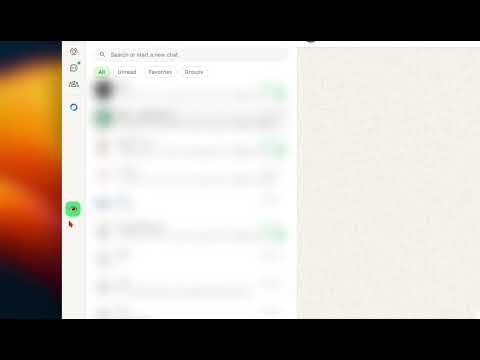
Hide WhatsApp Web sidebar for privacy during screen sharing. One-click blur with keyboard shortcuts. By Azzam Almohaimeed
🔒 شارك شاشتك بثقة… وخلّي محادثاتك خاصة تشارك شاشة WhatsApp Web في اجتماع أو عرض؟ مع WhatsApp Privacy Hider ما عاد تشيل هم إن أحد يشوف محادثاتك بالغلط. بضغطة زر وحدة، تخفي أو تغبّش قائمة المحادثات الجانبية، ويبان للناس فقط الشات اللي تبيهم يشوفونه — ولا شيء غيره. ليه الناس يستخدمون الإضافة؟ تمنع أي إحراج أثناء مشاركة الشاشة مثالية للاجتماعات، الشرح، العروض، والبث خفيفة وسريعة وما تأثر على أداء واتساب ويب 🛡️ خصوصيتك فعلًا محفوظة الإضافة تشتغل محليًا على متصفحك فقط. ما نقرأ رسائل، ما نجمع بيانات، وما نرسل أي شيء — نهائيًا. ✔️ بدون جمع بيانات ✔️ بدون تتبع ✔️ بدون تحليلات ✔️ كل الإعدادات محفوظة على جهازك فقط 🚀 المميزات: إخفاء أو تغبيش المحادثات فورًا زر عائم بسيط وسهل الاستخدام اختصار لوحة مفاتيح سريع يحفظ اختيارك تلقائيًا يدعم الوضع الداكن والفاتح وقف القلق… وشارك شاشتك وأنت مرتاح 🔐 🔒 Share Your Screen with Confidence — Keep Your Chats Private Sharing your WhatsApp Web screen during a meeting or presentation? With WhatsApp Privacy Hider, you never have to worry about exposing private conversations by accident. With just one click, you can hide or blur the chat sidebar, so only the active conversation is visible to your audience — nothing else. Why People Love This Extension Prevents awkward moments during screen sharing Perfect for meetings, presentations, teaching, and live demos Lightweight, fast, and doesn’t affect WhatsApp Web performance 🛡️ Privacy You Can Actually Trust Your privacy comes first. This extension works locally in your browser only — it never reads messages, collects data, or sends anything anywhere. ✔️ No data collection ✔️ No message access ✔️ No tracking or analytics ✔️ All settings stored locally on your device 🚀 Key Features One-click hide or blur chat sidebar Simple floating toggle button Quick keyboard shortcut Automatically remembers your preference Supports both dark & light mode Stop worrying. Share your screen knowing your private chats stay private 🔐
5 out of 52 ratings
Details
- Version1.0.1
- UpdatedJanuary 24, 2026
- Offered byAzzam Almohaimeed
- Size19.99KiB
- Languagesالعربية
- Developer
Email
Azzamsuliiman1@gmail.com - Non-traderThis developer has not identified itself as a trader. For consumers in the European Union, please note that consumer rights do not apply to contracts between you and this developer.
Privacy

This developer declares that your data is
- Not being sold to third parties, outside of the approved use cases
- Not being used or transferred for purposes that are unrelated to the item's core functionality
- Not being used or transferred to determine creditworthiness or for lending purposes