


개요
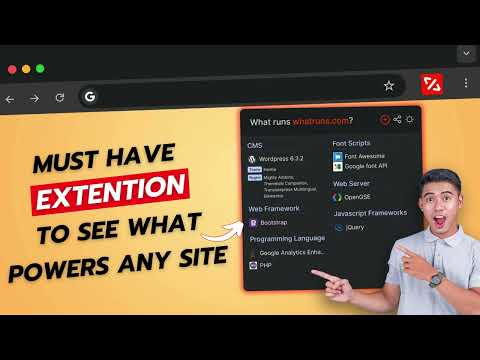
웹사이트에서 어떤 기술이 사용되는지 확인하세요. 프레임워크, 분석 도구, 워드프레스 플러그인, 글꼴 등 모두 알 수 있습니다.
WhatRuns extension is one click away for you to find technologies used on any website you visit. From Developer Tools and Ad Networks to Wordpress Plugins and Themes, we detect even the new and upcoming tools and services. Not just that - you can follow websites so that you get notified when they use new technologies or remove existing ones. FAQ How do you know what runs a website? Every technology leaves a pattern on the websites it is being used. WhatRuns' algorithm recognizes these patterns to detect the tech stack of a particular website. What all things you identify on a website? WhatRuns detects almost everything that runs a website - frameworks, web technologies, CMSs (and its plugins), themes and fonts to name a few categories. How is WhatRuns different from extensions like Wappalyzer, BuiltWith, Datanyze and Ghostery? While all of these are good old products, WhatRuns is less heavy on your browser, has a better detection accuracy and recognise even the latest technologies and plugins compared to our counterparts. We also uncover fonts, Wordpress plugins and themes used on websites, which nobody else does at the moment.
5점 만점에 4.2점평점 822개
세부정보
개인정보 보호

WhatRuns에서 데이터 수집 및 사용과 관련하여 다음 정보를 공개했습니다. 더 자세한 정보는 개발자의 privacy policy을 참고하세요.
WhatRuns 항목은 다음을 처리합니다.
개발자가 사용자 데이터에 관해 다음과 같이 선언했습니다
- 승인된 사용 사례를 제외하고 서드 파티에 판매하지 않음
- 항목의 핵심 기능과 관련 없는 목적으로 사용하거나 전송하지 않음
- 신용도 판단 또는 대출 목적으로 사용하거나 전송하지 않음