


概述
Shows your public IP and basic location / ISP / timezone info.
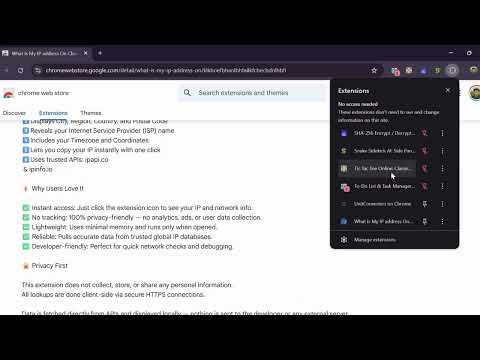
Check your public IP address instantly, right from Chrome — secure, fast, and private. “What Is My IP Address On Chrome” is a lightweight and privacy-friendly Chrome extension that lets you see your public IP address, location, ISP, and timezone in just one click. No need to visit external websites — your IP details appear directly in a clean, simple popup. 🔍 What It Does 1️⃣Shows your public IP address (IPv4 or IPv6) 2️⃣Displays City, Region, Country, and Postal Code 3️⃣Reveals your Internet Service Provider (ISP) name 4️⃣Includes your Timezone and Coordinates 5️⃣Lets you copy your IP instantly with one click 6️⃣Uses trusted APIs: ipapi.co & ipinfo.io ⚡ Why Users Love It ✅ Instant access: Just click the extension icon to see your IP and network info. ✅ No tracking: 100% privacy-friendly — no analytics, ads, or user data collection. ✅ Lightweight: Uses minimal memory and runs only when opened. ✅ Reliable: Pulls accurate data from trusted global IP databases. ✅ Developer-friendly: Perfect for quick network checks and debugging. 🔒 Privacy First This extension does not collect, store, or share any personal information. All lookups are done client-side via secure HTTPS connections. Data is fetched directly from APIs and displayed locally — nothing is sent to the developer or any external server. View our transparent privacy policy here: 🔗 Privacy Policy(https://rohan2596.github.io/what_my_ip_address_extension/privacy.html) 🧠 Use Cases ➡️Check your current public IP when troubleshooting connections ➡️Confirm whether your VPN or proxy is working correctly ➡️See your geolocation (City, Country, Timezone) ➡️Verify network routing or server access ➡️Developers can easily test IP-based functionality ⚙️ Features 🌍 IPv4 / IPv6 detection 📍 Real-time geolocation info 🕒 Timezone identification 🏢 ISP and organization display 📋 One-click IP copy 🔄 Refresh button for new lookups 💾 Local caching for faster results 🧩 Technical Highlights 1️⃣Manifest Version: 3 (latest Chrome standard) 2️⃣Permissions: Only uses “storage” and host access for ipapi.co & ipinfo.io 3️⃣No background scripts or tracking libraries 4️⃣Open-source inspired — fully transparent design 💡 Why Choose This Extension There are many IP checkers — but this one focuses on: 🧭 Accuracy – powered by reliable APIs 🔐 Security – HTTPS-only, no third-party scripts 💨 Speed – loads instantly 🌱 Simplicity – clean and clutter-free interface Ideal for: 1. Developers 2. Network admins 3. Tech support teams 4. VPN and proxy users 5. Privacy-conscious individuals 🧭 How It Works 1️⃣Install the extension. 2️⃣Click the extension icon in your Chrome toolbar. 3️⃣Instantly view your public IP and location details. 4️⃣Click “Copy” to copy your IP address. 5️⃣Click “Refresh” to update your IP information. That’s it — no setup, no login, no tracking. 🌐 Trusted Data Sources ipapi.co ipinfo.io These APIs provide accurate IP data globally via HTTPS. 🧱 Permissions Explained Storage: Used only to cache your last IP lookup result. Host permissions: Required to fetch IP data from ipapi.co and ipinfo.io. ✅ No extra permissions. ✅ No background tracking. ✅ 100% transparency.
5 星(5 星制)3 个评分
详情
- 版本1.0
- 上次更新日期2026年2月24日
- 大小22.51KiB
- 语言English
- 开发者
邮箱
rohankadam2596@gmail.com - 非交易者该开发者尚未将自己标识为交易者。欧盟地区消费者须知:消费者权利可能不适用于您与该开发者达成的合约。
隐私权

该开发者已声明,您的数据:
- 不会因未获批准的用途出售给第三方
- 不会为实现与产品核心功能无关的目的而使用或转移
- 不会为确定信用度或放贷目的而使用或转移