

WekiSteps – Step-by-Step Guide & Tutorial Maker with Screenshots

Overview
Turn any workflow into a how-to guide or SOP: every click becomes a screenshot with an instruction. Export PDF or HTML. Private.
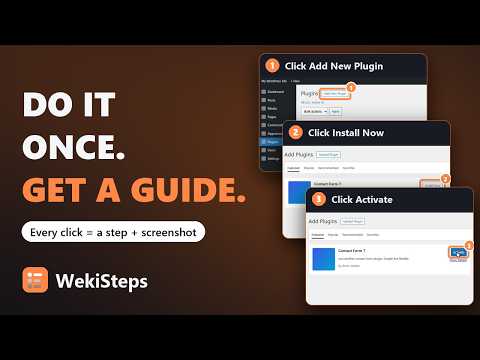
WekiSteps is a step-by-step guide maker for Chrome. Do a task once, as usual, and every click becomes a numbered step with a screenshot and a clear written instruction. Edit it in seconds and export a PDF, an HTML page or images. Made for how-to guides, SOPs, training manuals, onboarding, customer support answers, process documentation and knowledge base articles. HOW IT WORKS 1. Click the WekiSteps button and choose Start Capture. 2. Do the task as usual. Each click, choice and page you open becomes a step. 3. Click Stop. Your tutorial opens with numbered steps, written instructions and the clicked control highlighted. 4. Edit it and export it as a PDF, an HTML page or images. STEPS WRITTEN FOR YOU Instructions come from what you actually did: the button's name, the menu it sits in, the page it opened. "Click the Add New Plugin button to open the Add Plugins page." Never "click here". EDIT IN SECONDS • Highlight, arrow, text, blur and crop, with a "Focus on highlight" crop • Reorder by dragging, rename, merge, delete and restore steps • Bold, italic, links and lists in every instruction • Undo and redo; your work saves as you go PROFESSIONAL EXPORTS • PDF (A4 or US Letter), each step kept whole on a page • One self-contained HTML page that opens in any browser • One PNG per step, in a ZIP PRIVATE BY DESIGN • Never records what you type, only that you typed in a field • Passwords, payment fields and sign-in forms are blurred automatically, and so are e-mail addresses and card numbers on screen • Blurred areas stay blurred in every exported file • Your recordings and documents stay on your computer: no account, no uploads, no analytics • Access to websites is asked for the first time you record and can be removed in Settings PLANS Free: record and edit without limits; export guides of up to 10 steps, with a small "Made with WekiSteps" line. Plus ($3.99 a month or $35.88 a year, on wekihub.com): unlimited steps, no line, Compact and Cards templates, and your brand name on exports. 30-day money-back guarantee. Shortcuts: Alt+Shift+S adds the current screen as a step while recording; Alt+Shift+P pauses. WekiSteps is made by Wekihub: small, private apps that run on your computer. Questions: support@wekihub.com · Privacy: https://wekihub.com/wekisteps/privacy/
0 out of 5No ratings
Details
- Version0.1.1
- UpdatedNovember 27, 2026
- Size456KiB
- LanguagesEnglish
- Developer
- Non-traderThis developer has not identified itself as a trader. For consumers in the European Union, please note that consumer rights do not apply to contracts between you and this developer.
Privacy

This developer declares that your data is
- Not being sold to third parties, outside of the approved use cases
- Not being used or transferred for purposes that are unrelated to the item's core functionality
- Not being used or transferred to determine creditworthiness or for lending purposes
Support
For help with questions, suggestions, or problems, visit the developer's support site