

WebTime Tracker
4 ratings
)
Overview
Track your time spent on websites with activity-based monitoring, set daily limits, and view detailed analytics
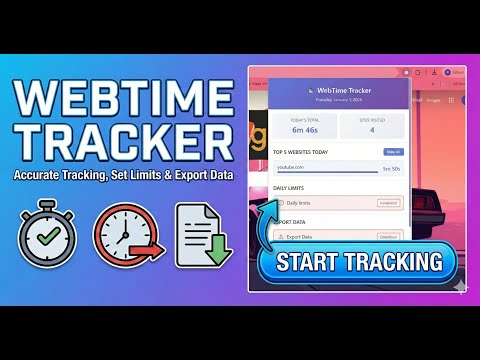
WebTime Tracker - Take Control of Your Time Track exactly how much time you spend on websites with accurate activity-based monitoring. Set daily limits, get insights, and boost your productivity. 🎯 KEY FEATURES Activity-Based Tracking • Only counts time when you're actually active • Detects mouse, keyboard, and scroll activity • 3-minute inactivity timeout • Smart sleep detection Daily Limits & Blocking • Set time limits for any website • Hard limits: Complete blocking • Soft limits: Borrow 5 extra minutes when needed • Custom block messages • Beautiful full-screen blocking overlay Comprehensive Analytics • Today's usage at a glance • Weekly trends with interactive charts • 30-day activity visualization • All-time statistics dashboard • Per-website detailed charts • Historical data with week navigation Data Export & Privacy • Export complete history to CSV • 100% local storage (no cloud, no tracking) • No account required • No ads, completely free • Privacy-first design Modern Interface • Clean, professional design • Purple gradient theme • Smooth animations • Responsive layout • Custom styled scrollbars Perfect for: ✓ Productivity enthusiasts ✓ Students managing study time ✓ Professionals tracking work hours ✓ Anyone wanting digital wellness ✓ Parents monitoring screen time Privacy Guarantee: All data stays on YOUR device. No external servers, no tracking, no data collection. You have complete control. Get Started: 1. Install the extension 2. Click the icon to view stats 3. Set limits with "Add Limit" button 4. View analytics with "All Time Stats" 5. Export your data anytime Open source and community-driven. Your time, your data, your control.
5 out of 54 ratings
Details
- Version1.0.0
- UpdatedJanuary 6, 2026
- Offered byprinceguptapg0106
- Size38.48KiB
- LanguagesEnglish
- Developer
Email
princeguptapg0106@gmail.com - Non-traderThis developer has not identified itself as a trader. For consumers in the European Union, please note that consumer rights do not apply to contracts between you and this developer.
Privacy

WebTime Tracker has disclosed the following information regarding the collection and usage of your data. More detailed information can be found in the developer's privacy policy.
WebTime Tracker handles the following:
This developer declares that your data is
- Not being sold to third parties, outside of the approved use cases
- Not being used or transferred for purposes that are unrelated to the item's core functionality
- Not being used or transferred to determine creditworthiness or for lending purposes
Support
For help with questions, suggestions, or problems, please open this page on your desktop browser