


Overview
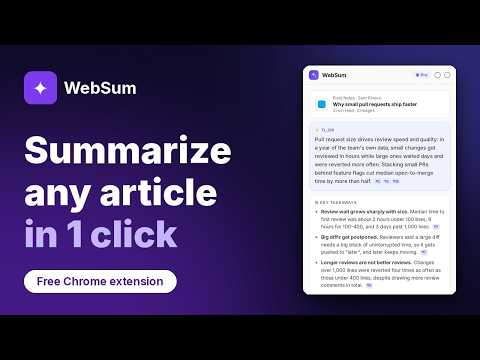
Know in seconds whether a long article is worth reading. One-click summaries, no account, every point linked to its source.
WebSum tells you in seconds whether a long article or blog post is worth reading. One click and an AI summary appears in Chrome's side panel, right beside the page. No account needed. WHAT YOU GET • TL;DR, key takeaways, why it matters and next steps • Every point links to the paragraph it came from: click the ¶ to jump there and check it • Written in the article's own language, and honest about paywalls: if only the opening is visible, it says so • Charts, diagrams and screenshots explained, not just the text • Caveats flagged, such as missing evidence or an author selling a related product • Copy a summary and its source links come with it • History: search and reopen the articles you've summarised, kept on your device • Pro: ask follow-up questions, answered only from the article, with links to the paragraphs used HOW TO USE Open an article and click the WebSum icon, the Summarise button on the page, or press Alt+Shift+S. PLANS Free: 2 summaries a day without an account, or 5 a day when you sign in with Google or your email, with a History of your last 25. WebSum Pro: follow-up questions, a History of up to 500 summaries and 20 a day on our sharpest model, with more takeaways and up to 12 images read per article. On docs pages with code, Pro explains it in plain words with a short example. US$14 a month or US$120 a year; switch or cancel any time. A monthly fair-use allowance applies. PRIVACY WebSum reads a page only when you ask for a summary, and never reads private apps such as email, documents, chats, AI assistants, code repositories or online banking. The article's text, title, address and images are sent to WebSum's server and its AI provider to write the summary. No ads, no selling your data, no tracking your browsing. Policy: https://websum.dev/privacy.html PERMISSIONS Works on any article when you click the icon. Access to all sites, or just the ones you choose, is optional: it only adds the Summarise button that appears on articles by itself. Recognising an article happens on your device. SUPPORT Help: https://websum.dev/support.html · Email: six9dev@gmail.com · What's new: https://websum.dev/changelog.html Version 1.0.0: History for everyone, and on Pro, ask follow-up questions about any article.
5 out of 52 ratings
Details
- Version1.0.0
- UpdatedNovember 2, 2026
- FeaturesOffers in-app purchases
- Size209KiB
- LanguagesEnglish
- DeveloperRarima RarimaWebsite
11 Foxglove Court Cranbourne North, VIC 3977 AUEmail
six9dev@gmail.comPhone
+61 421 768 045 - TraderThis developer has identified itself as a trader per the definition from the European Union and committed to only offer products or services that comply with EU laws.
Privacy

WebSum: AI Blog Summaries has disclosed the following information regarding the collection and usage of your data. More detailed information can be found in the developer's privacy policy.
WebSum: AI Blog Summaries handles the following:
This developer declares that your data is
- Not being sold to third parties, outside of the approved use cases
- Not being used or transferred for purposes that are unrelated to the item's core functionality
- Not being used or transferred to determine creditworthiness or for lending purposes
Support
For help with questions, suggestions, or problems, visit the developer's support site