


Overview
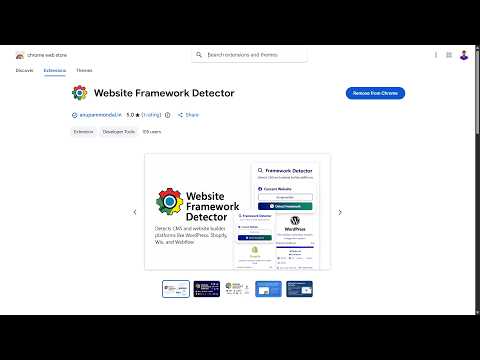
Detect the CMS, builder & tech stack behind any site (WordPress, Shopify, Wix, Webflow…) — 100% local, no tracking.
🌐 Website Framework Detector – Chrome Extension Discover what powers any website in seconds. Website Framework Detector instantly identifies the CMS, website builder, and technology stack behind any site. From popular platforms to modern frameworks, this extension reveals it all with one click. 🔍 Why install Website Framework Detector? - Save time & effort – Instantly know which platform a site is built on without digging through code. - Boost productivity – Perfect for developers, marketers, SEO consultants, and designers who need quick insights. - Stay informed – Understand the tools competitors or clients are using to build their websites. - Protect your privacy – 100% local analysis. No tracking, no external servers, no data collection. - Free & open source – Transparent, community-driven, and always free to use. 🚀 Key Features - One-click detection of CMS & website builders - Detailed technical analysis with confidence scores - Works universally across all websites - Identifies frontend frameworks, CSS libraries, and analytics tools - Lightweight, fast, and secure 🎯 How it works 1. Install Website Framework Detector from the Chrome Web Store. 2. Visit any website you want to analyze. 3. Click the extension icon in your browser toolbar. 4. Instantly see the detected framework and technical details. 🛡️ Privacy First ❌ No data collection ❌ No external API calls ❌ No user tracking ✅ 100% local analysis ✅ Complete privacy protection Website Framework Detector – Discover the web’s hidden frameworks with just one click. 👉 Install now and start uncovering the technology behind any site!
5 out of 52 ratings
Details
- Version1.3.0
- UpdatedAugust 11, 2026
- Size110KiB
- LanguagesEnglish (United States)
- DeveloperAnupam MondalWebsite
Pratapnagar Metiari South 24 Parganas, West Bengal 743330 INEmail
a09051985@gmail.com - Non-traderThis developer has not identified itself as a trader. For consumers in the European Union, please note that consumer rights do not apply to contracts between you and this developer.
Privacy

Website Framework Detector has disclosed the following information regarding the collection and usage of your data. More detailed information can be found in the developer's privacy policy.
Website Framework Detector handles the following:
This developer declares that your data is
- Not being sold to third parties, outside of the approved use cases
- Not being used or transferred for purposes that are unrelated to the item's core functionality
- Not being used or transferred to determine creditworthiness or for lending purposes
Support
For help with questions, suggestions, or problems, please open this page on your desktop browser