

WebRTC Control
การให้คะแนน 209 รายการ
)
ภาพรวม
Have control over WebRTC (disable | enable) and protect your IP address.
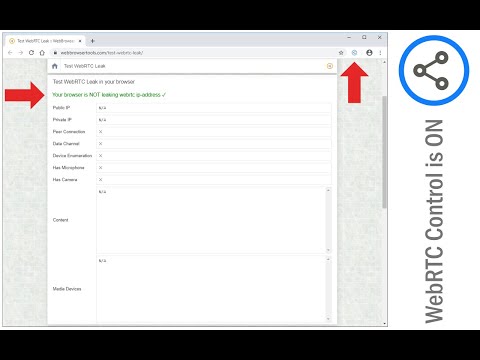
WebRTC Control is an extension that brings you control over WebRTC API in your browser. The toolbar icon serves as a toggle button that enables you to quickly disable or enable the add-on (note: the icon will change color once you click on it). This addon does not a have toolbar popup UI. When WebRTC is enabled in your browser, your real IP address will be exposed to the public (even if you're using a masking service such as VPN). But preventing WebRTC leaks helps you protect your IP address. WebRTC Control add-on will also disable the following WebRTC components (see add-on options page): a. navigator.getUserMedia b. window.MediaStreamTrack c. window.RTCPeerConnection d. window.RTCSessionDescription To report bugs, please visit the extension's homepage (https://mybrowseraddon.com/webrtc-control.html) and fill the bug report form.
4.5 จาก 5 คะแนนการให้คะแนน 209 รายการ
รายละเอียด
- รุ่น0.3.4
- อัปเดตแล้ว9 สิงหาคม 2568
- นำเสนอโดยGrephy
- ขนาด55.17KiB
- ภาษาEnglish
- นักพัฒนาซอฟต์แวร์
อีเมล
grephyr.prj@gmail.com - ไม่ใช่ผู้ค้านักพัฒนาซอฟต์แวร์รายนี้ไม่ได้ระบุว่าตัวเองเป็นผู้ค้า สำหรับผู้บริโภคในสหภาพยุโรป โปรดทราบว่าสิทธิของผู้บริโภคไม่มีผลกับสัญญาระหว่างคุณกับนักพัฒนาซอฟต์แวร์รายนี้
ความเป็นส่วนตัว
นักพัฒนาซอฟต์แวร์รายนี้ประกาศว่าข้อมูลของคุณจะ
- ไม่ถูกขายไปยังบุคคลที่สามหากไม่ใช่ Use Case ที่ได้รับอนุมัติ
- ไม่ถูกใช้หรือถูกโอนเพื่อวัตถุประสงค์ที่ไม่เกี่ยวข้องกับฟังก์ชันการทำงานหลักของรายการ
- ไม่ถูกใช้หรือถูกโอนเพื่อพิจารณาความน่าเชื่อถือทางเครดิตหรือเพื่อวัตถุประสงค์การให้สินเชื่อ
สนับสนุน
โปรดไปที่เว็บไซต์สนับสนุนของนักพัฒนาซอฟต์แวร์ หากมีข้อสงสัย ต้องการขอคำแนะนำ หรือพบปัญหาใดๆ