


Overview
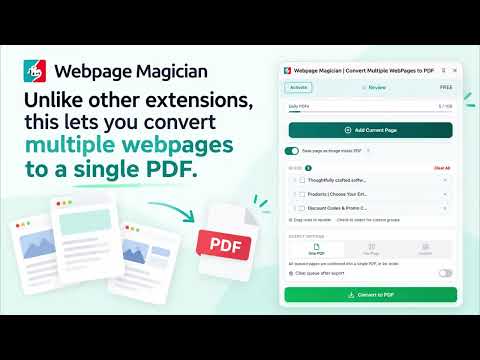
Convert multiple webpages to high-quality PDF. Combine pages into one PDF or create PDF groups with selectable or rasterized output.
Convert multiple webpages into a single PDF with just a few clicks. Webpage Magician makes it easy to collect webpages and turn them into organized PDF file. Add webpages as you browse, choose how you want them exported, and convert them when you are ready. You can add pages from the same website or from completely different websites. Once you have collected the pages you need, Webpage Magician gives you several ways to turn them into PDF. ● Convert Multiple Webpages into One PDF Need to save several related webpages as one document? Add all the pages you need and choose "One PDF" in output options. Webpage Magician combines all the webpages into a single PDF, which makes it easy to save, share, read, or archive them together. ● Export Each Webpage Separately If you prefer individual files, choose "Per Page". Every webpage you added is converted into its own PDF. This is useful when you want to keep webpages separate or need to share or organize each document independently. ● Create Custom PDF Groups For more control, use Custom export. Select the webpages you want and organize them into groups before converting. For example, you could put three webpages into one group, four webpages into another, and one webpage into a third group. Webpage Magician will create a separate PDF for each group. This makes it easy to organize a large collection of webpages into multiple documents based on topics, projects, or any structure you choose. ● Preserve the Webpage with Rasterisation When you need the PDF to look as close as possible to the original webpage, turn on Rasterisation. Rasterisation converts the webpage into a 1:1 visual representation, helping preserve its original appearance, including layout, styling, images, spacing, and other visual elements. How It Works : 1. Open any webpage you want to convert. 2. Click Add to Page to add it to your collection. 3. Continue browsing and add as many webpages as you need, even across different websites. 4. Choose your preferred export method: One PDF, Per Page, or Custom. 5. Convert your webpages into PDF file. Useful For : - Combine articles, references, documentation, and other resources into a single PDF. - Project research: Gather information from multiple websites and keep everything together in one PDF. - Reading offline: Save multiple webpages into a single document for convenient offline access. --> All processing happens locally on your device. No personal data, webpages you visit, or PDFs you generate are sent to our servers or any third party. This information stays on your device and is used locally by the extension.
5 out of 51 rating
Details
- Version1.0.4
- UpdatedOctober 17, 2026
- Size288KiB
- LanguagesEnglish
- Developer
- Non-traderThis developer has not identified itself as a trader. For consumers in the European Union, please note that consumer rights do not apply to contracts between you and this developer.
Privacy

Webpage Magician | Convert Multiple WebPages to PDF has disclosed the following information regarding the collection and usage of your data. More detailed information can be found in the developer's privacy policy.
Webpage Magician | Convert Multiple WebPages to PDF handles the following:
This developer declares that your data is
- Not being sold to third parties, outside of the approved use cases
- Not being used or transferred for purposes that are unrelated to the item's core functionality
- Not being used or transferred to determine creditworthiness or for lending purposes
Support
For help with questions, suggestions, or problems, visit the developer's support site