

WebLaser - Presentation Laser Pointer
2 ratings
)
Overview
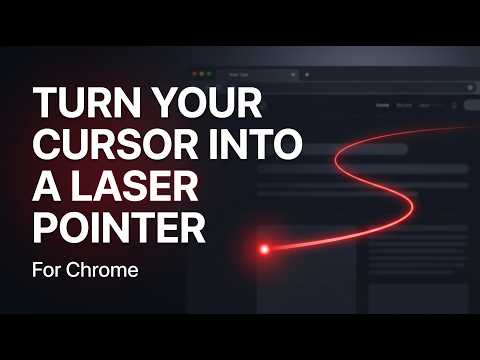
Transforms your normal page cursor into an ultra-smooth, realistic presentation laser pointer with trailing glow.
WebLaser turns your browser cursor into a presentation-style laser pointer. When enabled, a smooth red laser follows your cursor, making it easier to draw attention to specific parts of a webpage while explaining, presenting, teaching, or demonstrating something on screen. The extension is lightweight, simple to use, and can be toggled instantly with a keyboard shortcut. Features: Realistic laser pointer effect Smooth trailing animation Quick on/off toggle (Alt + L) Works on webpages across Chrome Lightweight and responsive Designed to help viewers follow along more easily Whether you're walking someone through a webpage, showing a tutorial, or presenting information during a screen share, WebLaser provides a simple way to make your explanations clearer.
3 out of 52 ratings
Details
- Version1.0.0
- UpdatedJune 10, 2026
- Offered byHayato
- Size31.5KiB
- LanguagesEnglish
- Developer
Email
abdulla6b@gmail.com - Non-traderThis developer has not identified itself as a trader. For consumers in the European Union, please note that consumer rights do not apply to contracts between you and this developer.
Privacy

This developer declares that your data is
- Not being sold to third parties, outside of the approved use cases
- Not being used or transferred for purposes that are unrelated to the item's core functionality
- Not being used or transferred to determine creditworthiness or for lending purposes
Support
For help with questions, suggestions, or problems, please open this page on your desktop browser