


Descripción general
WebCull is a cloud-based chrome bookmark manager extension designed with an emphasis on privacy, user experience, and cross-browser…
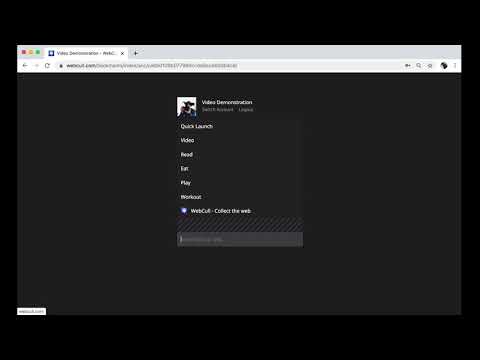
WebCull is a cloud-based chrome bookmark manager extension designed with an emphasis on privacy, user experience, and cross-browser cloud sync. It does not use ads or third-party tracking pixels, ensuring a high level of privacy. Additionally WebCull provides an end-to-end encryption (E2EE) system offering the highest level of data security in the industry where not even we can see your bookmarks. The User Interface (UI) of WebCull has been engineered for both efficiency and aesthetic appeal. It is not just about looking good but about maximizing productivity. The interface offers quick drag-and-drop capabilities for easier bookmark organization and comes with customizable backgrounds that allow you to create an environment that suits your workflow. Another important aspect of WebCull's UI is its shortcuts feature. While many applications offer some form of keyboard shortcuts, WebCull's are designed for comprehensive control. Whether it's navigating between folders, editing bookmark titles, or even deleting obsolete bookmarks, you can do it all without taking your hands off the keyboard. The import feature deserves a special mention. If you've been using a different bookmark manager or just the native bookmarking feature of your browser, switching over could be a daunting task. WebCull makes this easy by supporting bulk import across various formats. This means you can bring your carefully curated list of bookmarks into WebCull without starting from scratch. Sharing is another area where WebCull excels. Whether it's sharing a single bookmark or an entire folder hierarchy, WebCull offers a secure method to do so. Each shared item comes with its privacy controls, allowing you to password protect it, or disable its public access any time. Cross-platform and multi-browser synchronization is not just a convenience feature in WebCull; it's a core functionality. It's built to ensure that whether you're switching from your laptop to your mobile phone, or from Chrome to Firefox, your bookmarks go with you. It's not just about storing URLs, though. WebCull also supports metadata for each bookmark, allowing you to add notes or tags, as well collecting keywords and content directly from the site so that you don't have to add any keywords yourself. This makes it easier to search for bookmarks later and provides an additional layer of organization that goes beyond folders and titles. Finally, WebCull's architecture is built for scale. It uses cloud-based technologies optimized for high availability and low latency, ensuring that your bookmarks are accessible whenever you need them. So, if you're looking for a bookmark manager that combines a thoughtful user experience with a robust set of features, all while keeping your data secure and private, WebCull could very well be the solution you're looking for.
5 de 54 valoraciones
Detalles
- Versión4.4.14
- Actualizado30 de mayo de 2025
- FuncionesOfrece compras en aplicaciones
- Tamaño4.85MiB
- IdiomasEnglish
- DesarrolladorExitgetSitio web
1055 Rue Lucien-L'Allier #335 Montréal, QC H3G 3C4 CACorreo electrónico
info@webcull.com - No operadorEste desarrollador no se ha identificado como operador. Los consumidores residentes en la Unión Europea deben tener en cuenta que los derechos de los consumidores no son aplicables a los contratos que suscriban con este desarrollador.
Privacidad
WebCull Bookmark Manager ha revelado la siguiente información sobre la recogida y el uso de tus datos. Puedes consultar información más detallada en la privacy policy del desarrollador.
WebCull Bookmark Manager gestiona lo siguiente:
Este desarrollador declara que tus datos:
- No se venden a terceros, excepto en los casos de uso aprobados
- No se usan ni se transfieren para fines no relacionados con la función principal del elemento.
- No se usan ni se transfieren para determinar la situación crediticia ni para ofrecer préstamos.
Ayuda
Si tienes alguna pregunta, sugerencia o problema, abre esta página en tu navegador para ordenadores