


Overview
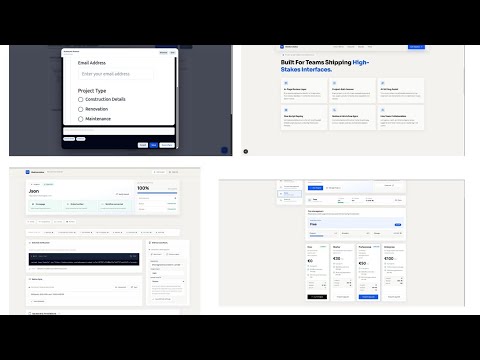
Capture visual website feedback, sync Jira or Notion tickets, and assign code fixes to cloud or local coding agents.
Build features fast with tools like Claude, Copilot, and Codex—but managing feedback after v1 becomes messy. Comments are scattered, instructions are unclear, and even small fixes get stuck in long workflows. This extension lets you annotate directly on your live project, turning feedback into clear, developer-ready tasks with AI. Instantly sync everything to Notion—no manual ticket creation, no middlemen. Fix Code. All in a single click. Ship faster by going from feedback to implementation in minutes, not days.
5 out of 52 ratings
Details
- Version1.2.2
- UpdatedJuly 6, 2026
- FeaturesOffers in-app purchases
- Size74.68KiB
- LanguagesEnglish
- DeveloperWebsite
Email
dheerajjha451@gmail.com - Non-traderThis developer has not identified itself as a trader. For consumers in the European Union, please note that consumer rights do not apply to contracts between you and this developer.
Privacy

WebAnnotates – Annotate, Review & Fix has disclosed the following information regarding the collection and usage of your data. More detailed information can be found in the developer's privacy policy.
WebAnnotates – Annotate, Review & Fix handles the following:
This developer declares that your data is
- Not being sold to third parties, outside of the approved use cases
- Not being used or transferred for purposes that are unrelated to the item's core functionality
- Not being used or transferred to determine creditworthiness or for lending purposes
Support
For help with questions, suggestions, or problems, visit the developer's support site