


Overview
Turn any webpage, Reddit thread, YouTube video or PDF into clean Markdown. For ChatGPT and Claude, via MCP or CLI.
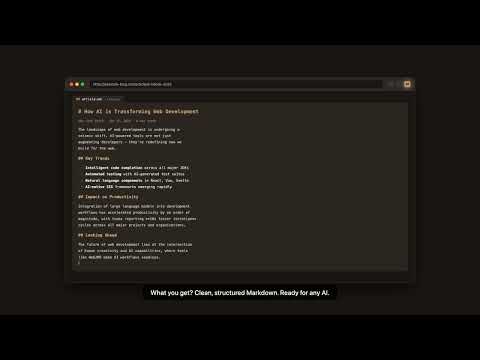
Web2MD turns any web page into clean, well-structured Markdown that you can paste straight into ChatGPT, Claude, Gemini, or NotebookLM. It also reads YouTube videos (pulling the full transcript) and PDF files, so almost anything you find online becomes AI-ready text in one click. And because AI agents need the same thing, Web2MD is not only an extension: it ships an MCP server and a command-line tool, so Claude Code, Claude Desktop, Cursor, and your own scripts can fetch and convert pages on their own. 🚀 KEY FEATURES • One-click conversion — turn any webpage into Markdown instantly • Smart content extraction — strips ads, navigation, sidebars, and clutter • Send to AI — push the result to ChatGPT, Claude, or Gemini without leaving the page • Prompt templates — summarize, translate, or apply your own prompt before sending • Batch conversion — convert many open tabs or a list of URLs at once • PDF conversion — handle PDF files and links, including arXiv, ACM, IEEE, and local files • YouTube transcripts — pull the full transcript from any video as Markdown • Reddit and forum threads — keep the thread structure instead of a wall of text • Token counting — see the estimated token count for GPT-4, Claude, and other models • Code block preservation — keeps syntax highlighting intact for technical content • Table support — converts HTML tables into proper Markdown tables • Save to Obsidian — export straight into your vault with YAML frontmatter • Notion integration — clip and save pages directly to Notion • Auto copy — optionally copy the result to your clipboard • Feishu / Lark support — extract and convert cloud documents 🤖 FOR AI AGENTS — MCP SERVER & CLI • MCP server — one command to set up Claude Code, Claude Desktop, or Cursor: npx web2md-mcp-server-install • Agent tools — convert a URL, batch-convert a list, run semantic search over what you have saved • Command line — npx web2md-cli for scripts, pipelines, and CI jobs • Reads pages the way a browser does, so agents can also reach content that a plain HTTP fetch cannot • Shared library — sync conversions between the extension, the CLI, and your agents 💡 PERFECT FOR • Feeding web content to AI assistants like ChatGPT, Claude, and Gemini • The complete workflow: convert → apply a prompt template → send to AI in one click • Web clipping and saving articles as clean Markdown • Copying a webpage as Markdown for Obsidian, Notion, or Logseq • Building documentation from online resources • Developer workflows — saving Stack Overflow answers, docs, and tutorials • Giving coding agents real documentation instead of stale training data • Research and content teams doing bulk web research • Exporting Feishu / Lark cloud documents to Markdown 🔑 WHY WEB2MD? • Removes around 65% of unnecessary tokens, which lowers your AI API costs • A complete "webpage → Markdown → AI" workflow, not just a converter • Batch conversion across tabs and URL lists • No more copy-pasting messy HTML into ChatGPT • Works on blogs, news sites, docs, and research papers • Clean Markdown output that AI models parse reliably 🔒 PRIVACY • Pro users can convert entirely on-device, with no page content sent to our servers • We never sell, rent, or trade your personal information • Full privacy policy: https://web2md.org/privacy 📦 HOW TO USE 1. Open any webpage 2. Click the Web2MD icon 3. Click "Convert to Markdown" 4. Optionally apply a prompt template and send it to AI 5. Copy or download your Markdown Try one conversion without signing in. A free account gives you 3 conversions a day, and Pro removes the limit and adds batch processing and cross-device sync. Website: https://web2md.org Support: support@web2md.org
3.7 out of 59 ratings
Details
- Version1.10.0
- UpdatedOctober 19, 2026
- FeaturesOffers in-app purchases
- Size2.16MiB
- Languages11 languages
- DeveloperWebsite
Email
support@web2md.org - Non-traderThis developer has not identified itself as a trader. For consumers in the European Union, please note that consumer rights do not apply to contracts between you and this developer.
Privacy

Web2MD - Web to Markdown for AI has disclosed the following information regarding the collection and usage of your data. More detailed information can be found in the developer's privacy policy.
Web2MD - Web to Markdown for AI handles the following:
This developer declares that your data is
- Not being sold to third parties, outside of the approved use cases
- Not being used or transferred for purposes that are unrelated to the item's core functionality
- Not being used or transferred to determine creditworthiness or for lending purposes
Support
For help with questions, suggestions, or problems, please open this page on your desktop browser