

Web to Figma Capture
4 ratings
)
Overview
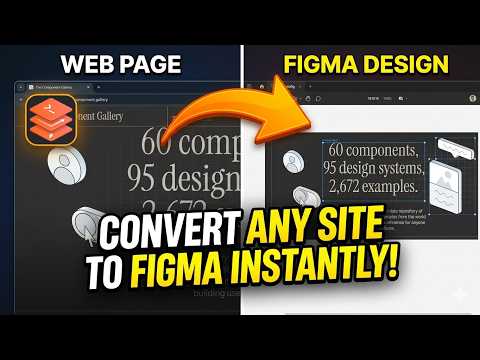
Capture any website and export it to Figma with pixel-perfect accuracy. Preserves layout, typography, and assets.
Web to Figma Capture is a powerful, production-grade tool designed for designers and developers to instantly convert any live website into editable Figma designs. Say goodbye to manually recreating layouts! Whether you are seeking inspiration, doing competitive analysis, or migrating an existing website to a new design system, this extension captures everything seamlessly and imports it into Figma as fully structured, clean, and responsive Auto Layouts. 🚀 KEY FEATURES: 💎 "Mirror Image" Fidelity • Captures exactly what you see on the screen. • Strict Visibility Logic ignores hidden elements (dropdowns, off-screen menus, `opacity: 0` overlays) so you don't get "ghost" layers. • Pixel-Perfect Styling: Accurately grabs fonts, gradients, shadows (including drop-shadow filters), borders, and high-res images. 📐 Intelligent Auto Layout • True Structure: Converts standard HTML blocks into Vertical Auto Layouts and Flex/Grid containers into accurate Auto Layouts with correct spacing and alignment. • Smart Sizing: Automatically infers FILL, FIXED, and HUG sizing modes based on the website's CSS. • Clean Hierarchy: All structural layers are uniformly named for a professional, distraction-free layer tree. 🧠 Smart Component Detection (v2.0) • Automatically identifies repeated UI patterns (Buttons, Cards, Nav Items). • Generates a dedicated "Local Components" section. • Groups similar components into Component Sets and pre-wires Smart Animate prototyping interactions! ⚡ Performance & Usability • Capture large, complex pages with customizable limits (Max Nodes, Depth, Timeout). • Triggers lazy-loaded assets by automatically scrolling before capture. • Beautiful "Cosmic Glass" dark mode interface. HOW IT WORKS: 1. Navigate to the website you want to capture. 2. Click the "Web to Figma Capture" extension icon and click "Capture Page". 3. A `.htfig` file will be downloaded to your computer. 4. Open Figma, launch the "Web to Figma" plugin, and drop the `.htfig` file in. 5. Watch as the website is instantly reconstructed with full Auto Layouts and Components! Reference site: https://component.gallery/ *Note: This extension works in tandem with the "Web to Figma" Figma Plugin to complete the import process.*
4.2 out of 54 ratings
Details
- Version1.0.4
- UpdatedJune 8, 2026
- Offered bymushfiqk47
- Size81.4KiB
- LanguagesEnglish
- DeveloperMUSHFIQ KABIR
satkhria satkhira 9400 BDEmail
mushfiqk47@gmail.com - Non-traderThis developer has not identified itself as a trader. For consumers in the European Union, please note that consumer rights do not apply to contracts between you and this developer.
Privacy

Web to Figma Capture has disclosed the following information regarding the collection and usage of your data. More detailed information can be found in the developer's privacy policy.
Web to Figma Capture handles the following:
This developer declares that your data is
- Not being sold to third parties, outside of the approved use cases
- Not being used or transferred for purposes that are unrelated to the item's core functionality
- Not being used or transferred to determine creditworthiness or for lending purposes