概要
あらゆるWebページをフルページのスクリーンショット・検索可能なPDF・単一HTML・Markdownで保存。注釈と墨消しも、すべてローカルで処理。
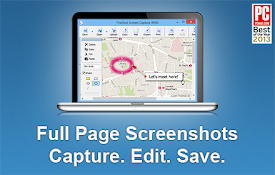
Web Snapper turns any web page into the format you actually need — a pixel-perfect screenshot, a searchable PDF, a self-contained HTML file, or clean Markdown — and lets you highlight, annotate and redact right on the page before you save. Everything runs locally in your browser. No account, no cloud, no tracking. ━━ CAPTURE ━━ • Full-page screenshot (PNG) — captures long, scrolling pages in one shot. Automatically hides sticky headers and floating bars so there's no ghosting or duplicated content. • Searchable PDF — text stays selectable and searchable in ANY language (Chinese, Arabic, Hindi… everything), links remain clickable, and highlights export as native, editable PDF annotations. • Single-file HTML — a fully offline, self-contained snapshot with images, styles and fonts inlined. Open it years later without the original site. • Region capture — drag to select any area, then save it as PNG, searchable PDF, or semantic Markdown. • Inner-scroll capture — long AI chat threads and app panels (where the page body doesn't scroll) are captured in full. • Visible-area screenshot — quick one-click capture of what's on screen. ━━ READ & CONVERT ━━ • Reading mode — strips ads, sidebars and clutter for a clean article view. • Markdown export — convert the page (or a selected region) to clean Markdown for Obsidian, Notion, VS Code and note apps. Real images are referenced as files, not flattened into the screenshot. ━━ ANNOTATE & REDACT (on-page editor) ━━ • Highlight text in multiple colors, add notes and tags. • Draw with pen, arrows, boxes and numbered badges. • Redact privacy: black out or mosaic text and images, or delete elements entirely. Redacted text is truly removed from the DOM — never hidden behind a blur that could leak in the export. • Your highlights, annotations and redactions are baked into every export (PNG, PDF, HTML, Markdown). ━━ ORGANIZE ━━ • Local history archive — every capture is indexed on your device with a thumbnail and full-text search. Find anything instantly. Zero cloud. • Custom paper — export PDFs as A4, Letter, or fit-to-content, in portrait or landscape. ━━ PRIVACY FIRST ━━ • 100% local processing. Screenshots, packaging, PDF generation and redaction never leave your device. • No data collection, no analytics, no tracking, no account. • Minimal permissions — Web Snapper only touches a page when you click its icon (activeTab). No broad "read your data on all websites" access. ━━ AVAILABLE IN 10 LANGUAGES ━━ English · 中文 · 日本語 · 한국어 · Español · Français · Deutsch · Português · Русский · العربية Built for researchers, lawyers, analysts and anyone who needs a faithful, private copy of the web.
詳細
プライバシー

このデベロッパーは、お客様のデータについて以下を宣言しています
- 承認されている以外の用途で第三者に販売しないこと
- アイテムの中心機能と関係のない目的で使用または転送しないこと
- 信用力を判断する目的または融資目的で使用または転送しないこと
サポート
質問や提案、問題がある場合は、デベロッパーのサポートサイトにアクセスしてください。