

Web Search Navigator
262 lượt xếp hạng
)
Tổng quan
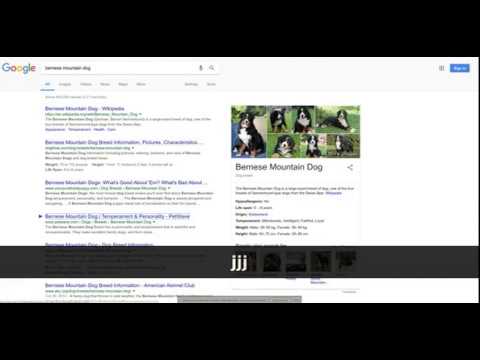
Keyboard shortcuts for Google search, YouTube, Startpage, Brave Search, Google Scholar, Github, and Amazon.
## Overview Simple open source extension that adds keyboard shortcuts to Google search™ and optionally other websites. Note that support for other websites must be enabled in the extension options. See the latest changelog in https://github.com/infokiller/web-search-navigator/blob/master/CHANGELOG.md ## Features - Lightweight - Supports Chrome, Firefox, and Edge - Extensive Google keyboard shortcuts including: - Selecting results - Opening results in the background or foreground - Navigating to other sections (maps/news/videos/etc) - Navigating to the next/previous result page - Changing time restrictions - Support for navigating cards such as Top Stories, Twitter, and videos - All keyboard shortcuts can be changed - Settings are synched between devices with the same browser profile - Supports both key combos and key sequences - Custom CSS rules to control the look of highlighted results - Experimental and optional support for YouTube, Startpage, Brave Search, Google Scholar, Github, Gitlab, and Amazon (needs to be enabled in the options). Note that the extension does not have permissions for these optional websites unless you explicitly enable them. ## Keybindings - `↓`/`j`: Select next search result - `↑`/`k`: Select previous previous result - `/`/`Escape`: Focus on input search box - `Enter`/`Space`: Navigate to selected result - `Ctrl+Enter`/`⌘+Enter`/`Ctrl+Space`: Open selected result in background tab - `Ctrl+Shift+Enter`/`⌘+Shift+Enter`/`Ctrl+Shift+Space`: Open selected result in new window/tab - `←`/`h`: Navigate to previous search result page - `→`/`l`: Navigate to next search result page - `a`/`s`: Navigate to All tab (= default search tab) - `i`: Navigate to images tab - `v`: Navigate to videos tab - `m`: Navigate to maps tab - `n`: Navigate to news tab - `alt+s`: Navigate to shopping tab - `b`: Navigate to books tab - `alt+l`: Navigate to flights tab - `f`: Navigate to financial tab - `z h`: Filter results by past hour - `z d`: Filter results by past 24 hours (day) - `z w`: Filter results by past week - `z m`: Filter results by past month - `z y`: Filter results by past year - `z z`: Turn off filter (show all results) - `z t`: Toggle sort by date/relevance (only when filtering) ©2023 Google LLC All rights reserved. Google™ search is a trademark of Google LLC.
4,9/5262 lượt xếp hạng
Chi tiết
- Phiên bản0.5.2
- Đã cập nhật29 tháng 5, 2023
- Nhà cung cấpWeb Search Navigator Admin
- Kích thước201KiB
- Ngôn ngữEnglish
- Nhà phát triển
Email
gsearch.navigator@gmail.com - Người bán phi thương mạiNhà phát triển này không tự nhận mình là người bán. Đối với người tiêu dùng ở Liên minh Châu Âu, xin lưu ý rằng các quyền của người tiêu dùng không được áp dụng trong hợp đồng giữa bạn và nhà phát triển này.
Quyền riêng tư
Nhà phát triển này tuyên bố rằng dữ liệu của bạn
- Không được bán cho bên thứ ba, ngoài những trường hợp sử dụng đã được phê duyệt
- Không được sử dụng hoặc chuyển nhượng cho các mục đích không liên quan đến chức năng chính của mặt hàng
- Không được sử dụng hoặc chuyển nhượng để xác định khả năng thanh toán nợ hoặc phục vụ mục đích cho vay
Hỗ trợ
Nếu bạn có câu hỏi, ý kiến đề xuất hoặc gặp vấn đề, vui lòng mở trang này bằng trình duyệt dành cho máy tính để được trợ giúp